Quotas prevent one runaway script or misbehaving key from draining your plan. They cascade from broad to narrow:
The tightest value wins. If your plan allows 120 req/min but a key preset says 30 — that key is capped at 30.

What you can limit

Presets
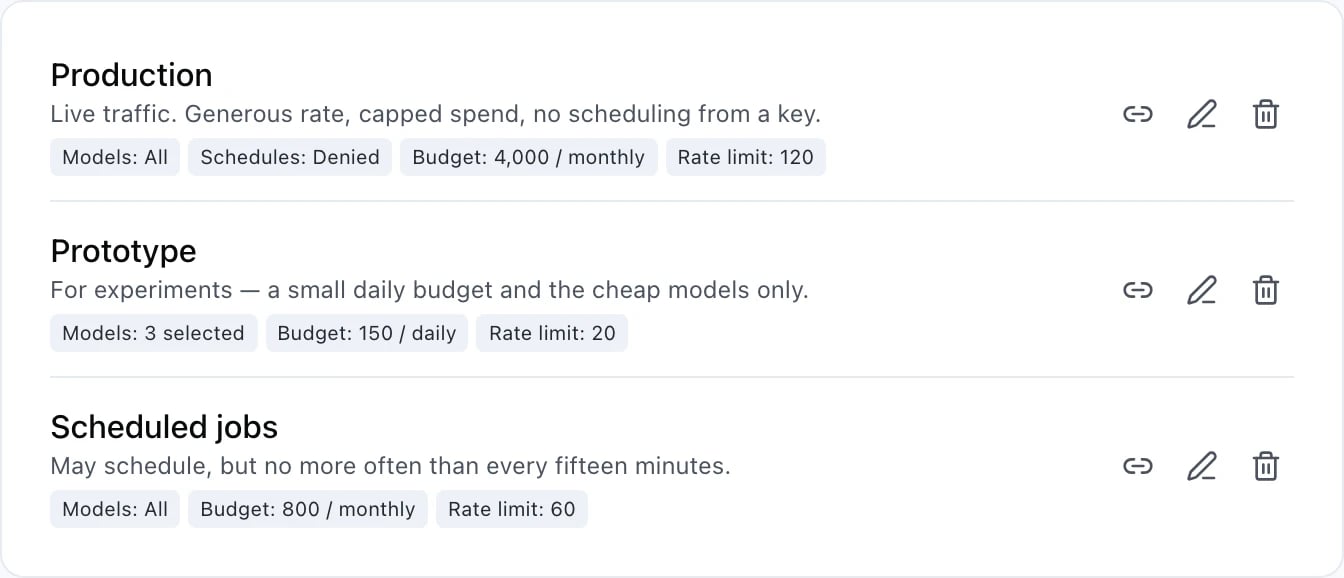
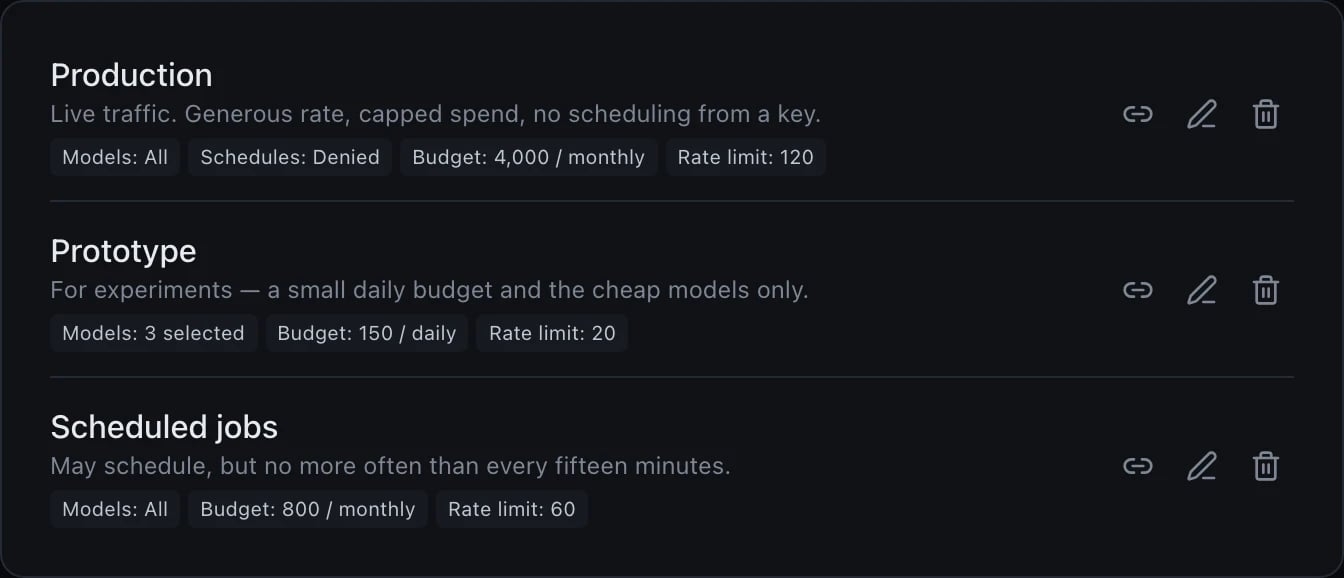
Three preset cards, each with link, edit and delete icons on the right. Production reads Live traffic. Generous rate, capped spend, no scheduling from a key, with four chips: Models: All, Schedules: Denied, Budget: 4,000 / monthly, and Rate limit: 120. Prototype reads For experiments — a small daily budget and the cheap models only, with three chips: Models: 3 selected, Budget: 150 / daily, and Rate limit: 20. Scheduled jobs reads May schedule, but no more often than every fifteen minutes, with three chips: Models: All, Budget: 800 / monthly, and Rate limit: 60.Three preset cards, each with link, edit and delete icons on the right. Production reads Live traffic. Generous rate, capped spend, no scheduling from a key, with four chips: Models: All, Schedules: Denied, Budget: 4,000 / monthly, and Rate limit: 120. Prototype reads For experiments — a small daily budget and the cheap models only, with three chips: Models: 3 selected, Budget: 150 / daily, and Rate limit: 20. Scheduled jobs reads May schedule, but no more often than every fifteen minutes, with three chips: Models: All, Budget: 800 / monthly, and Rate limit: 60.

A preset, and what it caps

The chips on a preset card summarise it; they are not a complete inventory. Models, budget and rate limit each show their value whenever the preset sets one, so a missing chip among those three does mean the preset says nothing and the plan decides. Scheduling is deliberately different: a card shows Schedules: Denied only when the preset forbids scheduling outright, because a chip on every card would bury the one card that actually blocks something. And a preset can hold a limit that has no chip at all — Scheduled jobs above permits scheduling but no more often than every fifteen minutes, which is why the card says it in words. Read the description as well as the chips. A preset is a named bundle of limits. Define once in Settings → Quotas and assign to members or API keys.
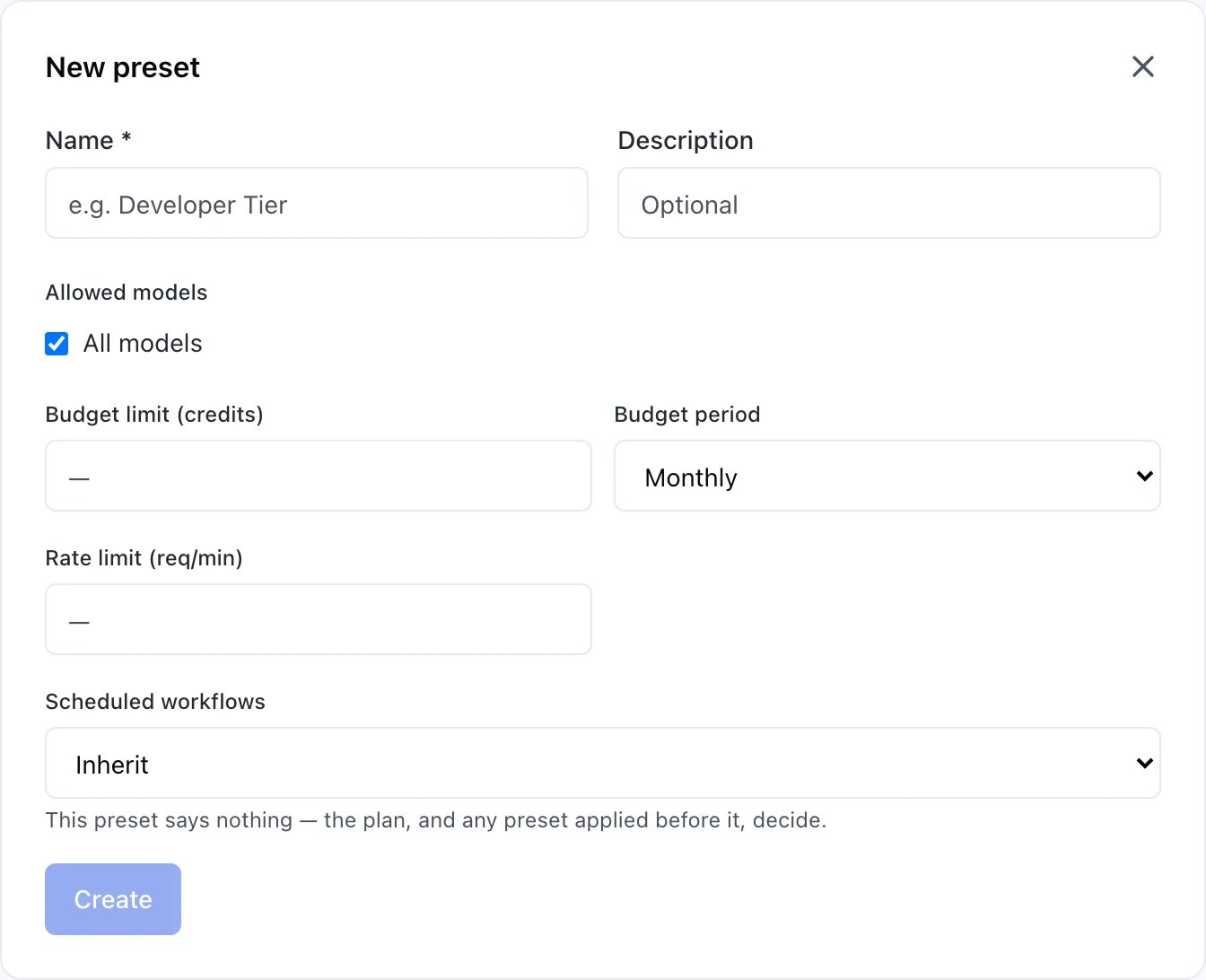
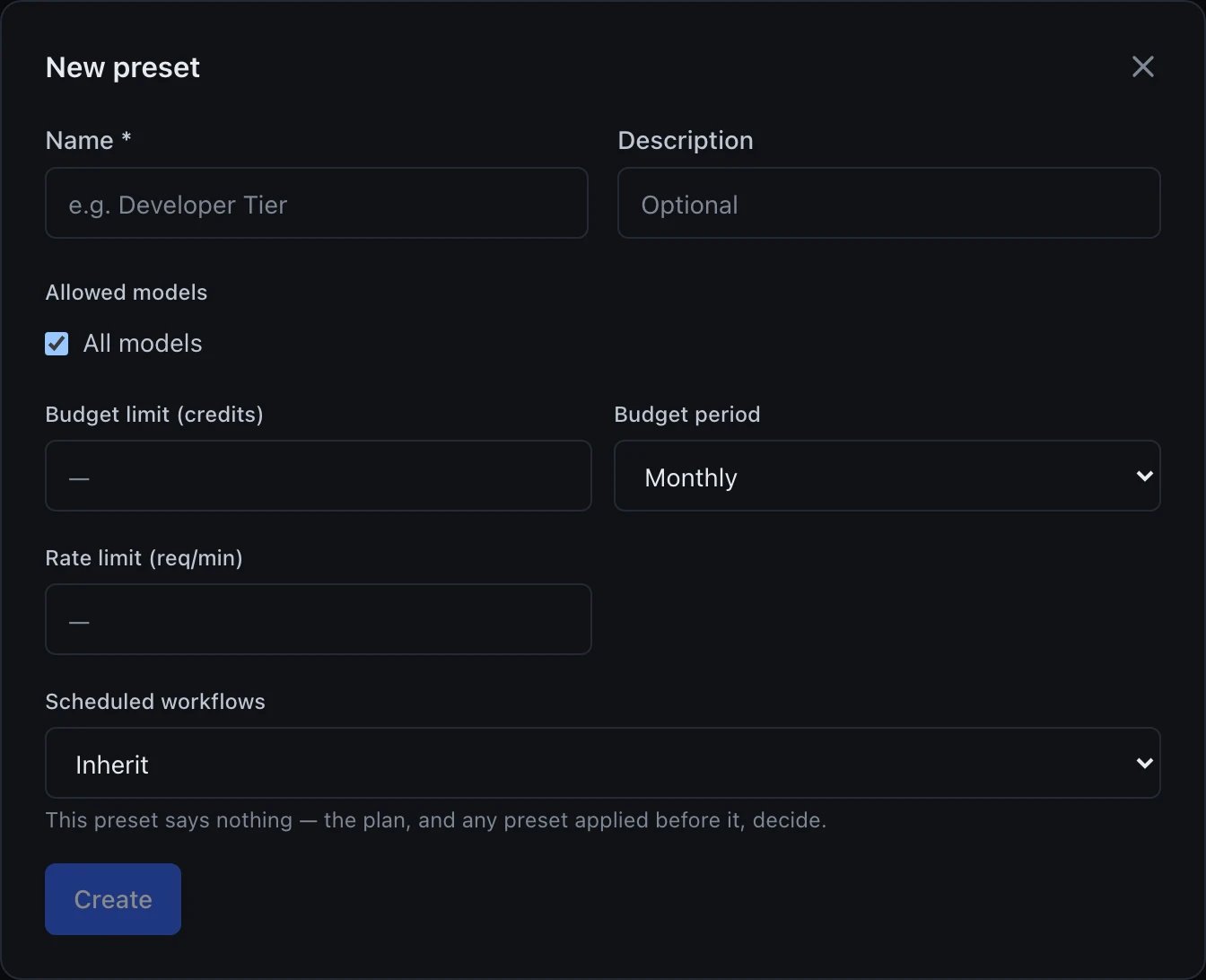
A New preset dialog with a close X in the top right. A required Name field with placeholder e.g. Developer Tier, and an optional Description field. An Allowed models section with an All models checkbox, checked. A Budget limit (credits) field, empty, beside a Budget period dropdown set to Monthly. A Rate limit (req/min) field, empty. A Scheduled workflows dropdown set to Inherit, with the note This preset says nothing — the plan, and any preset applied before it, decide. A Create button at the bottom, shown disabled because the required Name field is empty.A New preset dialog with a close X in the top right. A required Name field with placeholder e.g. Developer Tier, and an optional Description field. An Allowed models section with an All models checkbox, checked. A Budget limit (credits) field, empty, beside a Budget period dropdown set to Monthly. A Rate limit (req/min) field, empty. A Scheduled workflows dropdown set to Inherit, with the note This preset says nothing — the plan, and any preset applied before it, decide. A Create button at the bottom, shown disabled because the required Name field is empty.

Creating a preset: the four things it can decide

The New preset form decides four things: an absolute credit budget over a chosen period, a requests-per-minute ceiling, which models are allowed, and whether this preset may schedule workflows at all. Common presets to start with:
  • Production — no rate limit, allowed models = whitelist of blessed slugs, high storage
  • Development — 30 rpm, 1M tokens/day, all models allowed
  • Read-only — 10 rpm, no image/video generation, minimal storage

Assigning a preset

To a member: Settings → Members → member row → Quota preset. Their API keys inherit automatically unless the key has its own preset. To an API key: API Keys → key row → Preset. Overrides the member’s preset for that specific key.

Seeing effective quota

Each key row in API Keys shows the resolved quota — the final values after cascade — with a source column (platform / plan / member / key) so you know where each limit comes from.

API visibility

Clients see quotas in error responses:
That arrives as a 403, not a 429, and carries no Retry-After — see Rate limits. And storage-related 413 responses from /v1/files: