

client.images.generate(...) works against our base URL for the common case. Two things it doesn’t cover: image edits (see Image edits below), and a rare long-running generation answering a job to poll instead of an image (see the warning under Persistence). See the compatibility matrix for the full picture across every operation.
Pick a model
List the catalog with
GET /v1/models and keep the entries whose _infery.modality is image. There is no modality query parameter — filter client-side. Each entry’s _infery.allowed_params.sizes tells you what to ask for.
Prompt patterns that work
Across all current image models, structured prompts beat freeform descriptions:- Subject first. Models weight early tokens more.
- Be concrete. “Cinematic lighting” is vague; “low-key chiaroscuro from a single window” isn’t.
- Specify what to avoid with negative phrasing: “no text, no watermark, no humans”.
- Anchor style with reference styles or photographers (“in the style of National Geographic”, “shot on Hasselblad H6D”).
- Iterate small. Change one variable at a time — model, then prompt, then size.
Sizes and aspect ratios
Common, almost universally supported:
Always check the model’s
_infery.allowed_params.sizes in GET /v1/models before assuming — some models only support 1024x1024.
Generating for a platform? Don’t look the numbers up — see
Publishing formats for the 21 named formats
(Instagram Story, YouTube thumbnail, LinkedIn profile cover and the rest) with
the exact dimensions each platform wants, and what happens when the model you
picked can’t produce one of them.
Persistence
Generated URLs are ephemeral — typically 1 hour. If you want to keep an image, do one of:python
python
file_id.
Some models skip this entirely: when a generation is served through our durable job path, each item in data already carries a file_id alongside its url, and that URL is signed over our own storage rather than the provider’s. Read file_id first and only fall back to downloading when it is absent.
Image edits
Models with edit support (Nano Banana, Qwen Image, FLUX) take a source image plus a prompt.python
image_mime_type defaults to image/png — set it when your source is anything else. An optional mask_base64 (transparent = the region to repaint) enables in-painting on the models that support a mask.
Not every image model can serve an edit: the request is routed to one source, and if that source takes no input image the call is refused with 400 edit_not_supported before anything is billed.
Use cases: background swap, object removal, restyling, in-painting. Edit fidelity beats “regenerate from scratch” for any case where the subject needs to stay consistent.
Sample: generate vs. edit
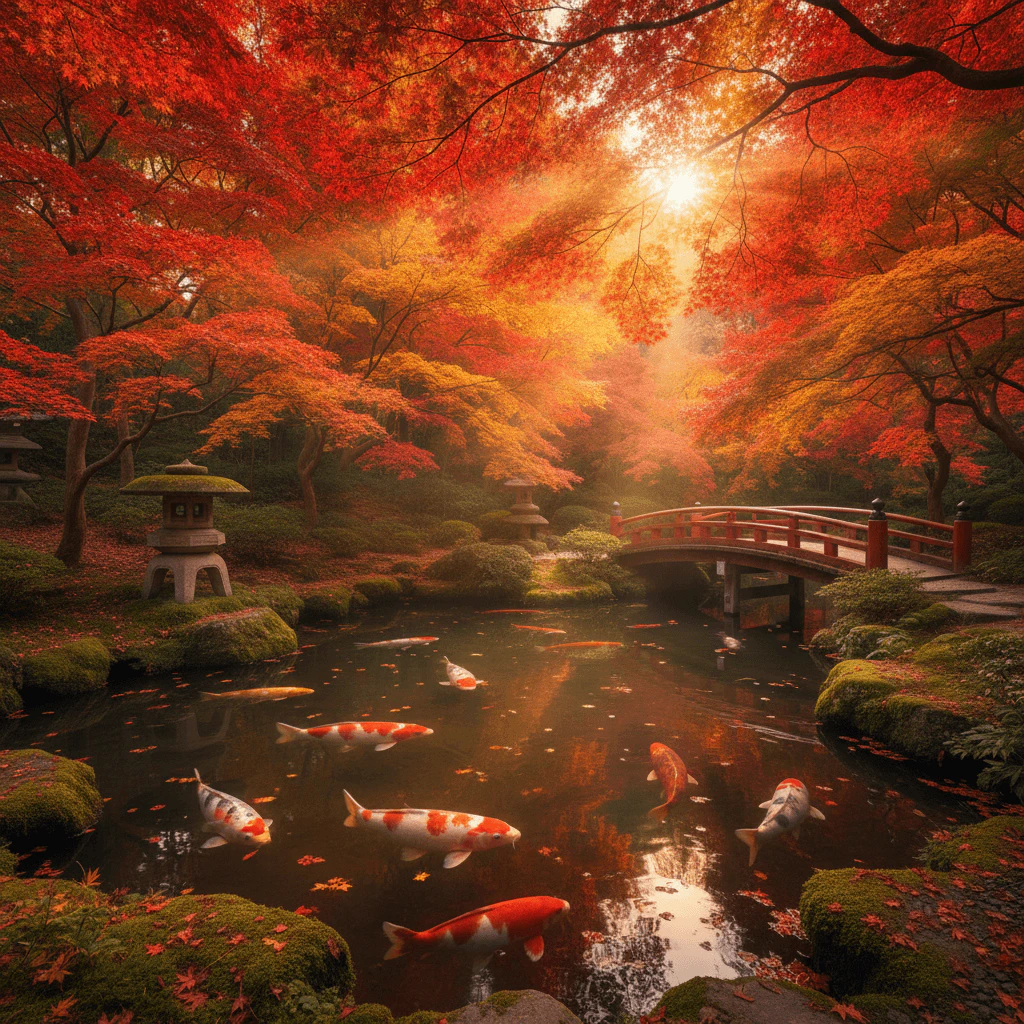
Generation — 'Vibrant Japanese garden in autumn, koi pond, golden hour'
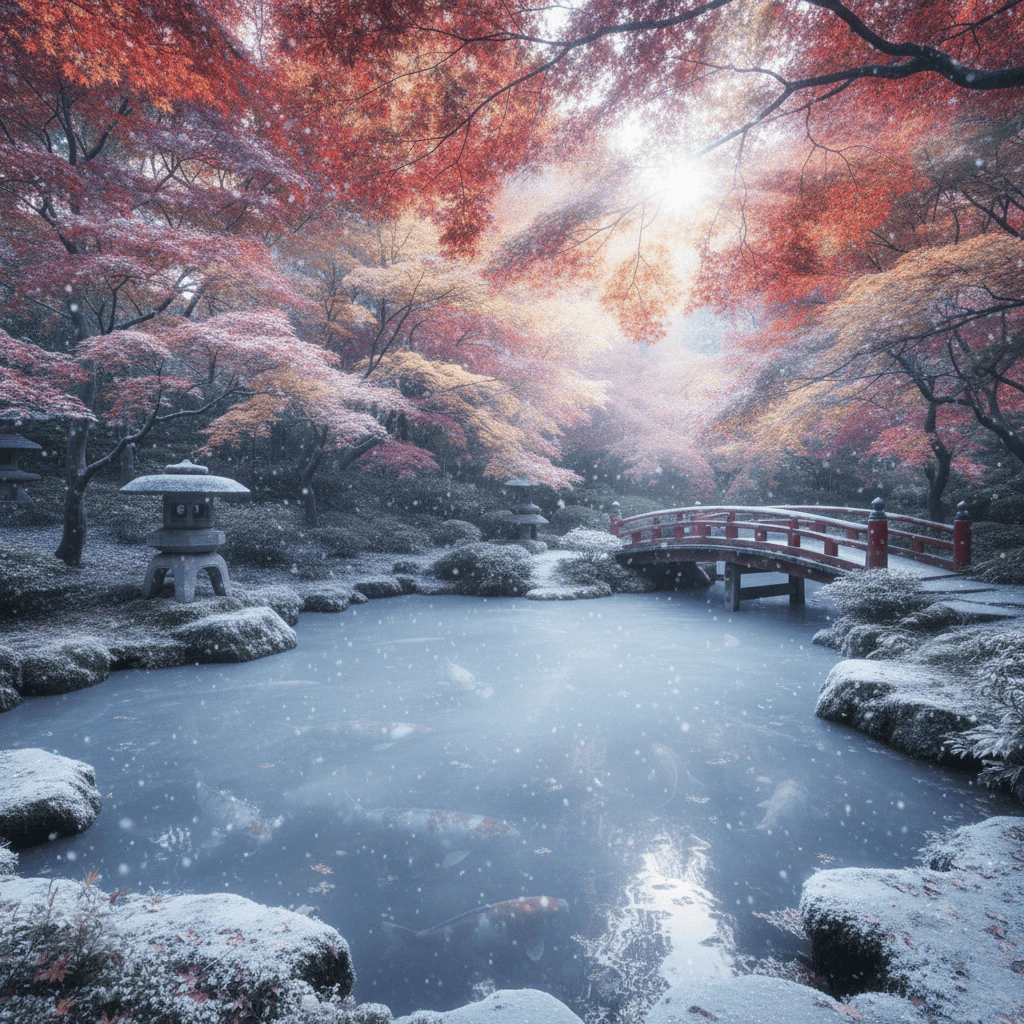
Edit — same source image, prompt: 'Transform into a snowy winter wonderland, keep layout intact'
nano-banana). Notice how the edit preserves the composition — bridge, lantern, pond — while swapping season, lighting and palette.
Quality vs. cost
Generation cost varies by model and size — check pricing inGET /v1/models. Rules of thumb:
- DALL·E 3 standard ≈ 4 credits, HD ≈ 8 credits
- Imagen 4 ≈ 8 credits
- Nano Banana ≈ 1.5 credits
- FLUX (self-hosted) ≈ 1 credit