> ## Documentation Index
> Fetch the complete documentation index at: https://docs.infery.ai/llms.txt
> Use this file to discover all available pages before exploring further.
# Step types
> model, media, http, sub_pipeline and the capability steps — plus the fields every step shares.
A definition has seven flow-control step types — `model`, `media`, `three_d`, `http`,
`sub_pipeline`, `foreach` and `parallel` — plus one step type per **capability**
(`image.resize`, `video.trim`, `web.search`, …). The two containers have
[their own page](/workflows/containers).
A step type that is neither is refused with `unsupported_step_type`, wherever it sits in the
tree.
## The palette
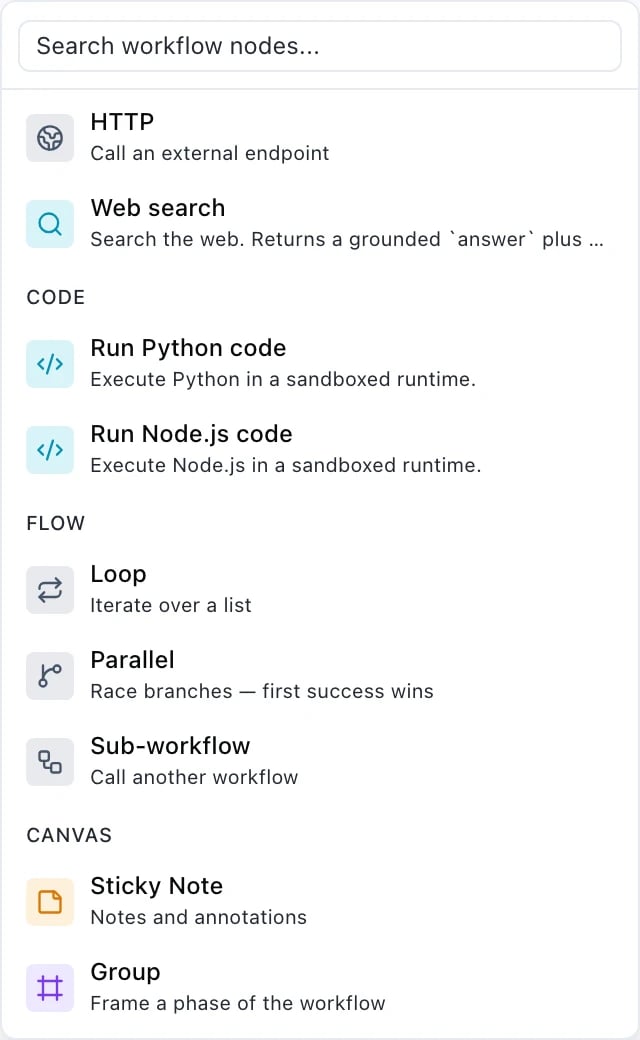
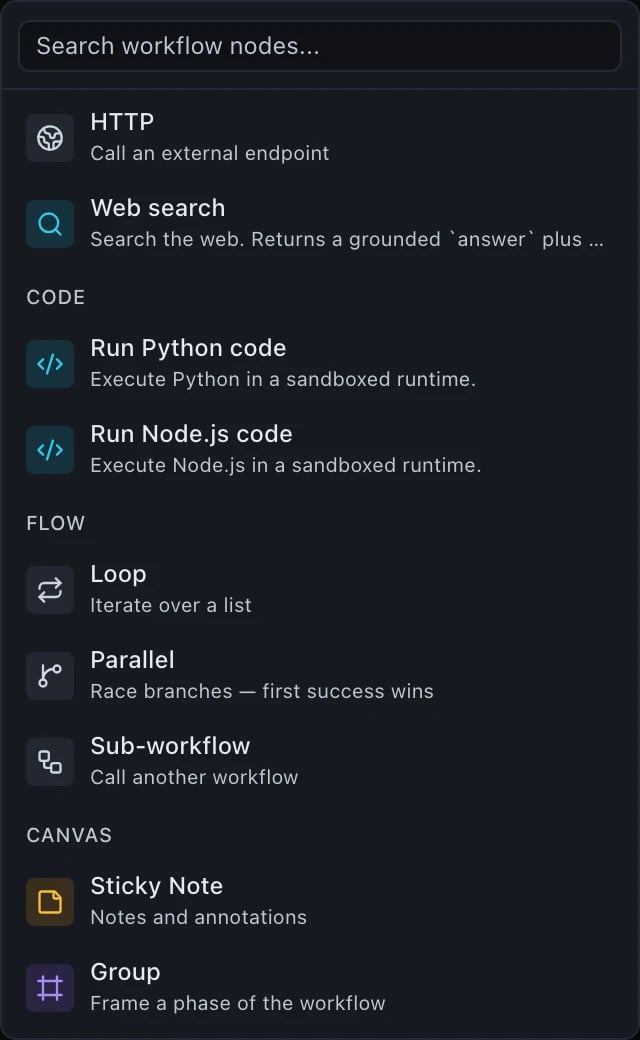
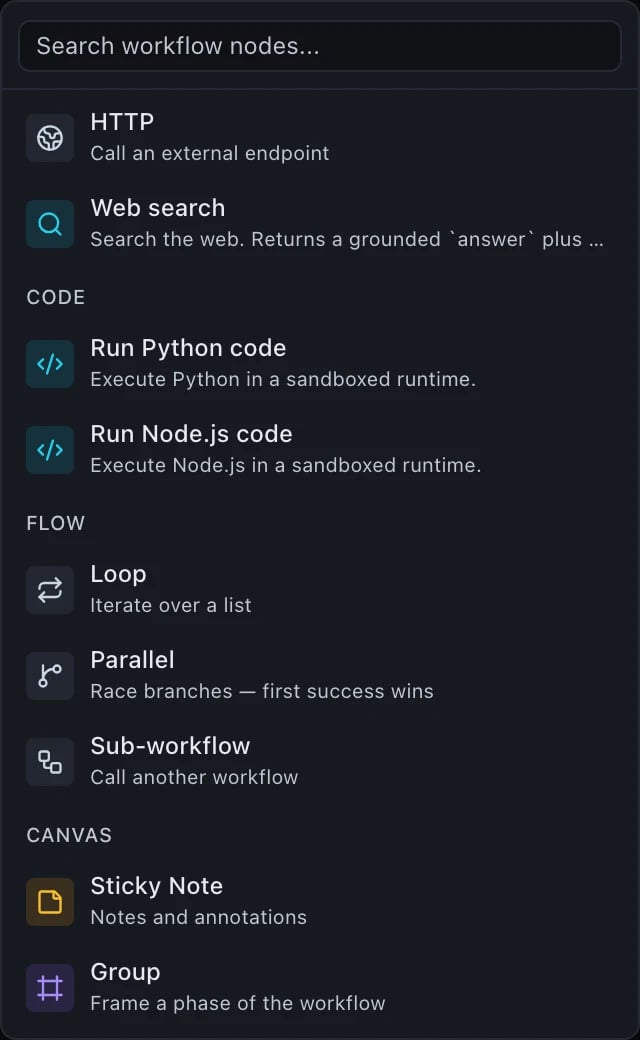
**Add a node** on the canvas is the visual index of everything on this page. The
groups below are the palette's own.
Where a palette name and a JSON type differ, the palette speaks product and the
JSON speaks wire — both are named here so you can move between them.
### Inputs
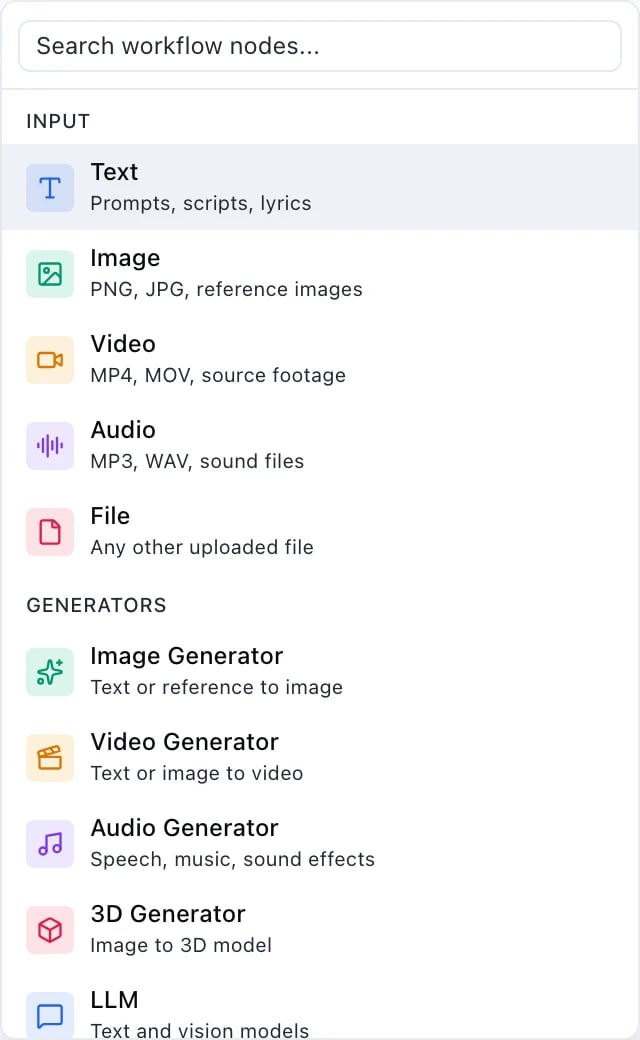
 These become the `inputs` declaration and the `${input.…}` bindings that read it
— see [Declaring run inputs](/workflows/overview#declaring-run-inputs).
### Generators
These become the `inputs` declaration and the `${input.…}` bindings that read it
— see [Declaring run inputs](/workflows/overview#declaring-run-inputs).
### Generators
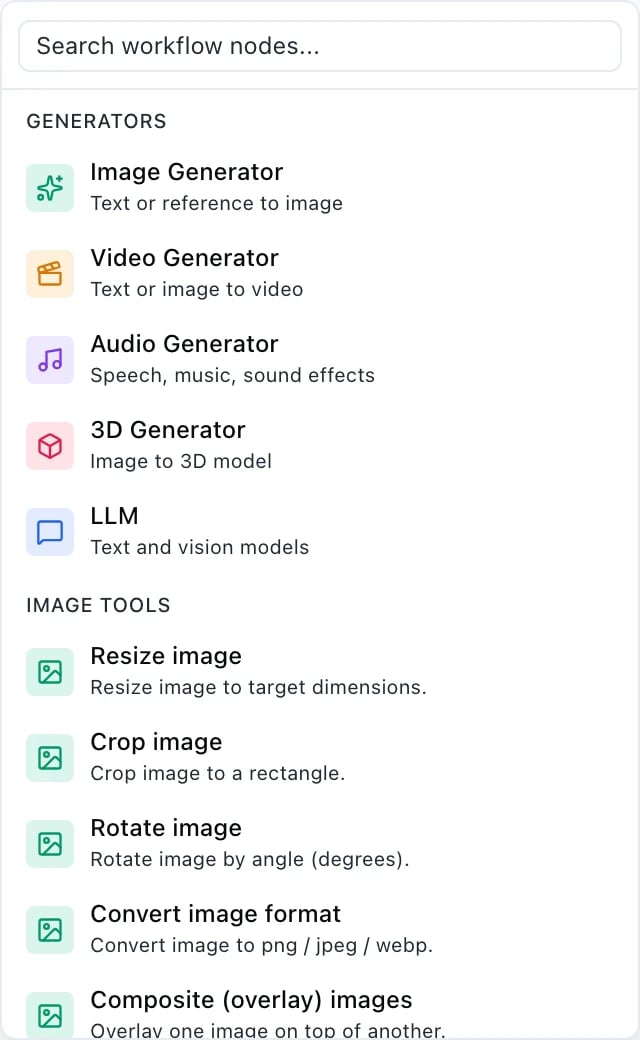
 **LLM** is the [`model`](#model) step. Image Generator, Video Generator and Audio
Generator are [`media`](#media) steps, one per modality. **3D Generator** is its
own step type, [`three_d`](#three_d) — the 3D catalogue also holds models that take
a mesh as input (rigging, remeshing, retexturing), a shape `media`'s prompt-plus-
optional-image has no room for.
### Media tools
Deterministic work on files: no model, no prompt, a fixed price — with one
exception. Every entry but one is a [capability step](#capability-steps) —
`image.resize`, `video.trim`, `audio.concat` and so on. The exception is
**Transcribe**, in the audio group below: it runs through a speech-to-text model,
so it is a [`media`](#media) step and priced like one, not a capability.
**LLM** is the [`model`](#model) step. Image Generator, Video Generator and Audio
Generator are [`media`](#media) steps, one per modality. **3D Generator** is its
own step type, [`three_d`](#three_d) — the 3D catalogue also holds models that take
a mesh as input (rigging, remeshing, retexturing), a shape `media`'s prompt-plus-
optional-image has no room for.
### Media tools
Deterministic work on files: no model, no prompt, a fixed price — with one
exception. Every entry but one is a [capability step](#capability-steps) —
`image.resize`, `video.trim`, `audio.concat` and so on. The exception is
**Transcribe**, in the audio group below: it runs through a speech-to-text model,
so it is a [`media`](#media) step and priced like one, not a capability.
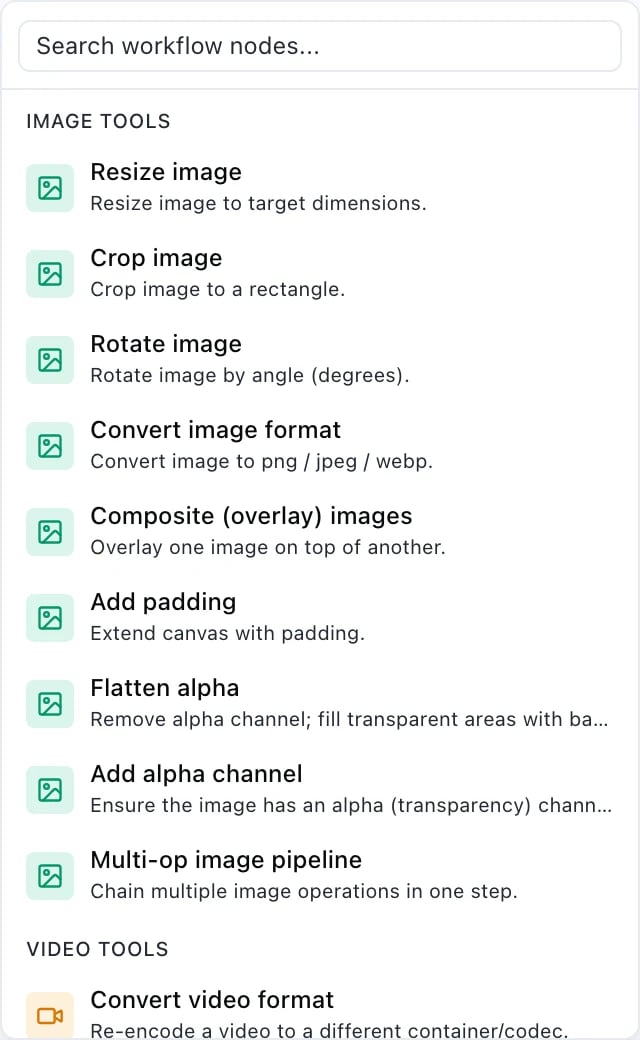
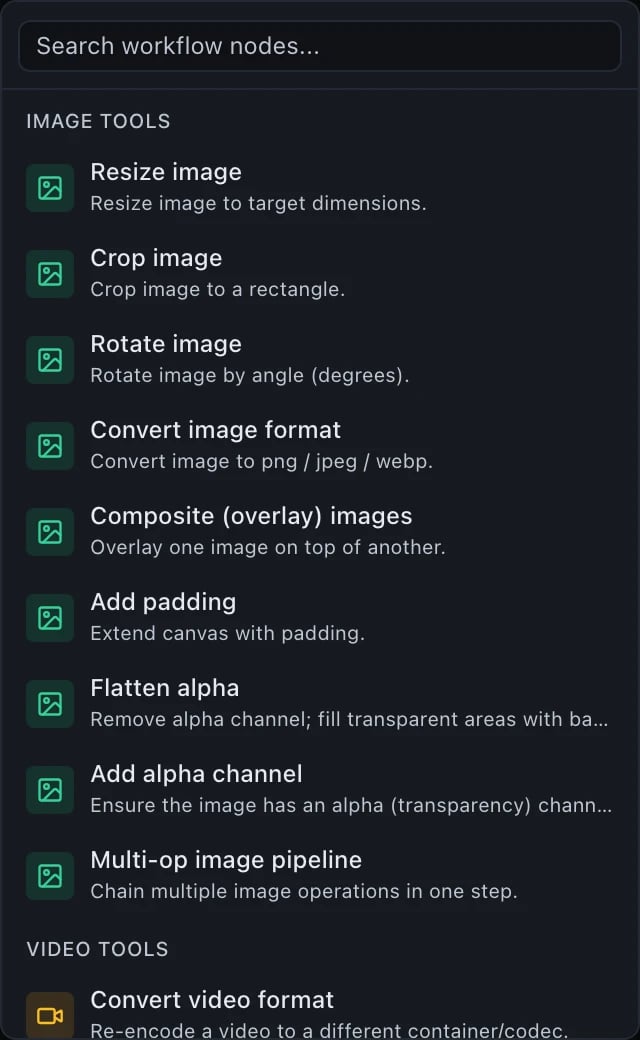
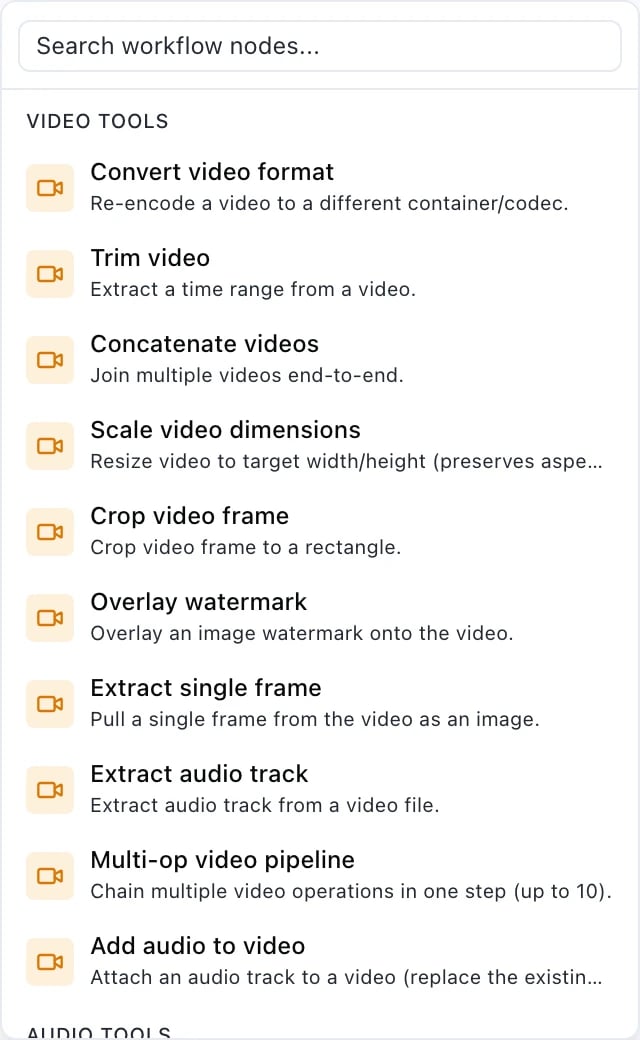
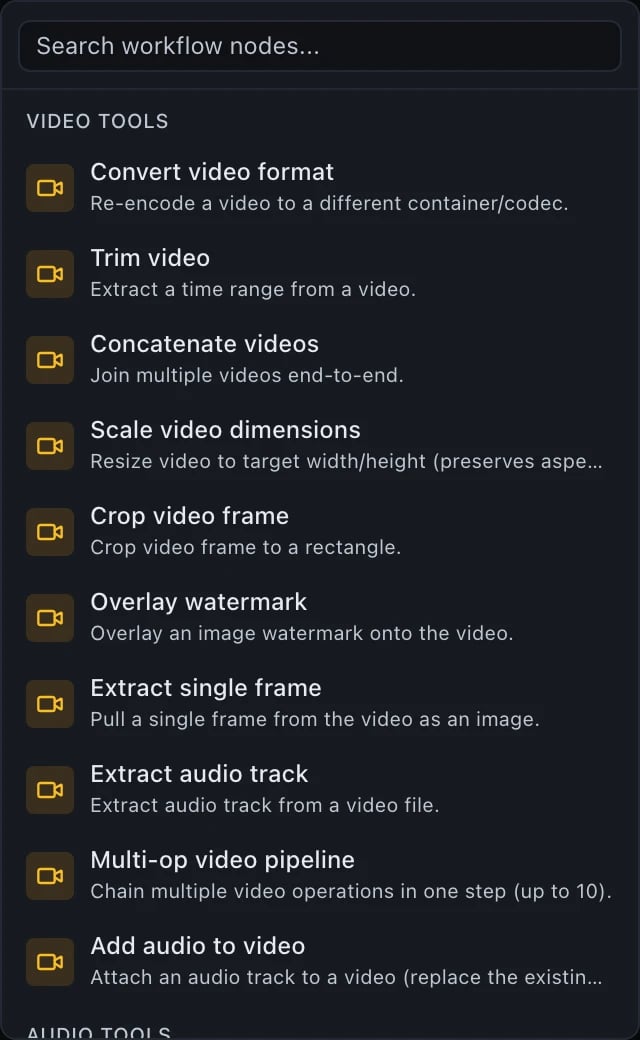
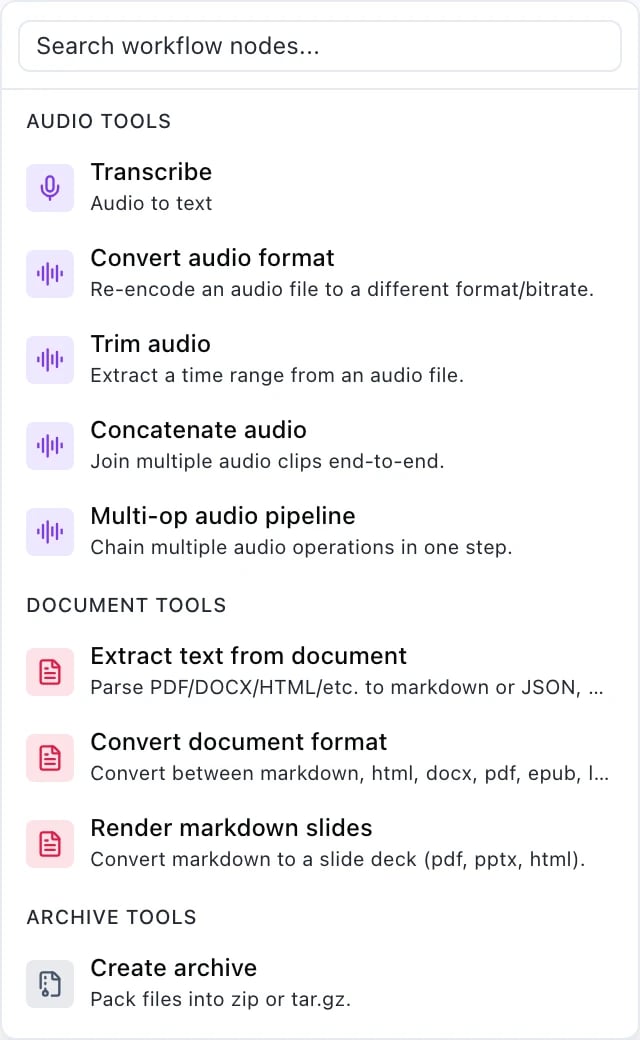
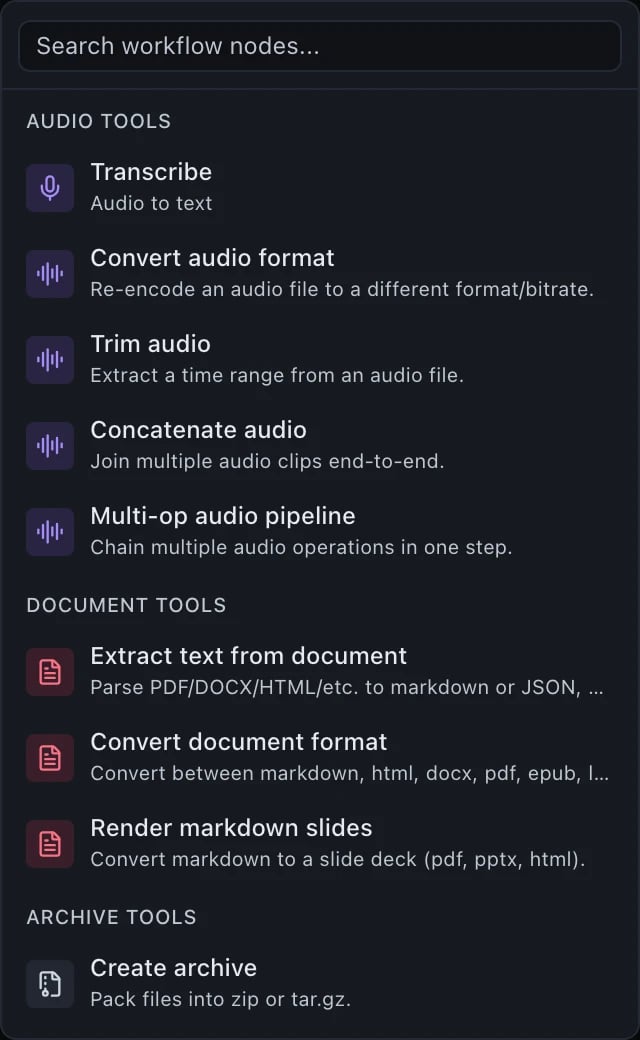 The **Multi-op** entry in each group is the one to reach for when you would
otherwise chain three steps that each re-fetch and re-store the same file: it
runs the operations in order inside one step. In JSON it is `image.pipeline`,
`video.pipeline`, `audio.pipeline` — one of the few places the older noun
survives, because it names an operation rather than a workflow.
### Documents, archives, the web and code
The **Multi-op** entry in each group is the one to reach for when you would
otherwise chain three steps that each re-fetch and re-store the same file: it
runs the operations in order inside one step. In JSON it is `image.pipeline`,
`video.pipeline`, `audio.pipeline` — one of the few places the older noun
survives, because it names an operation rather than a workflow.
### Documents, archives, the web and code
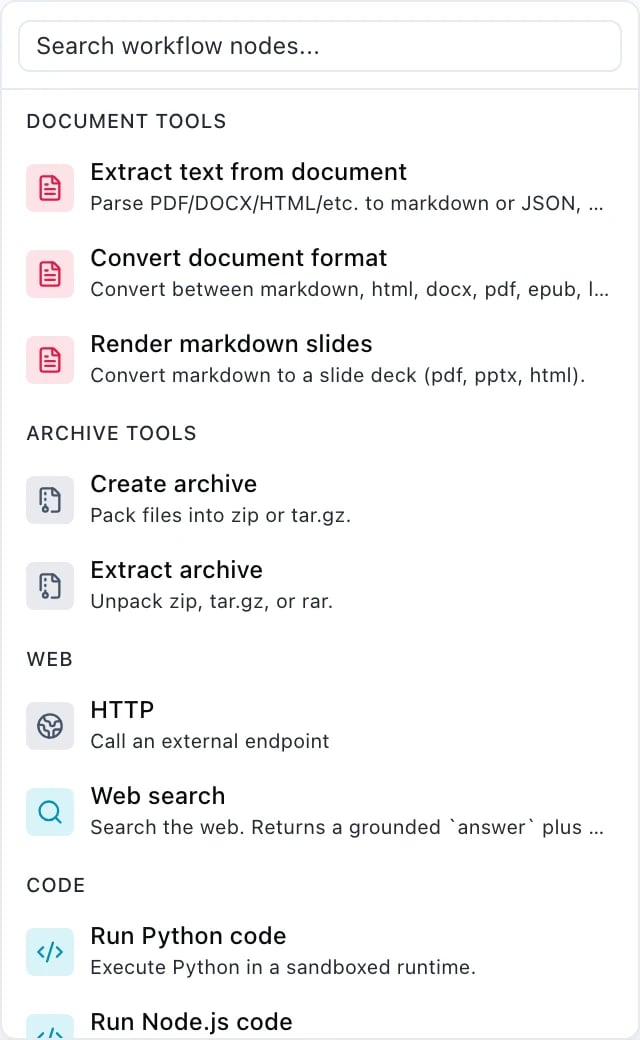
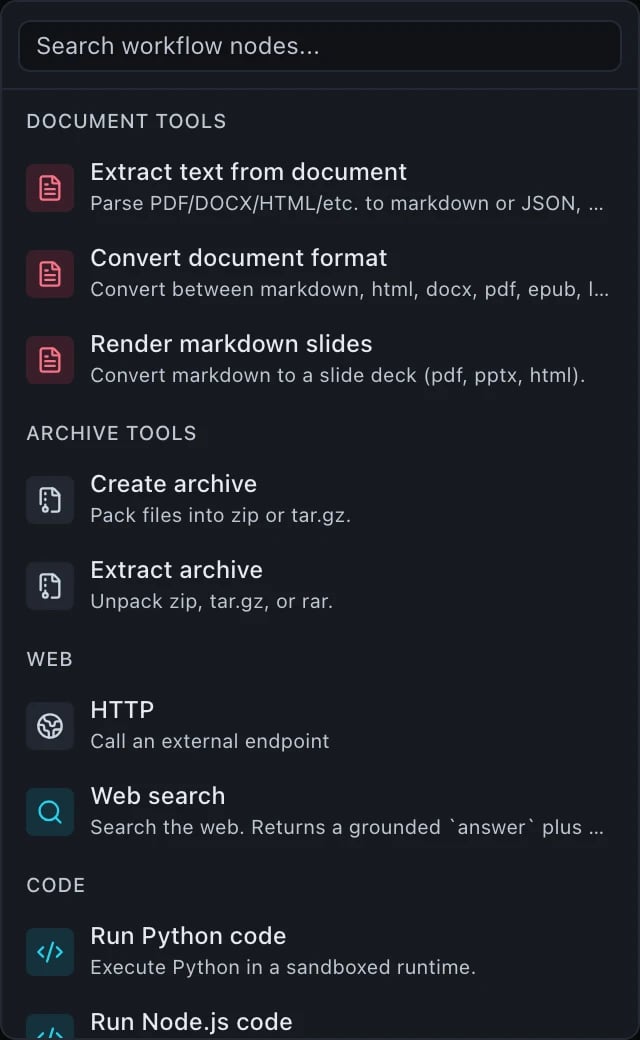
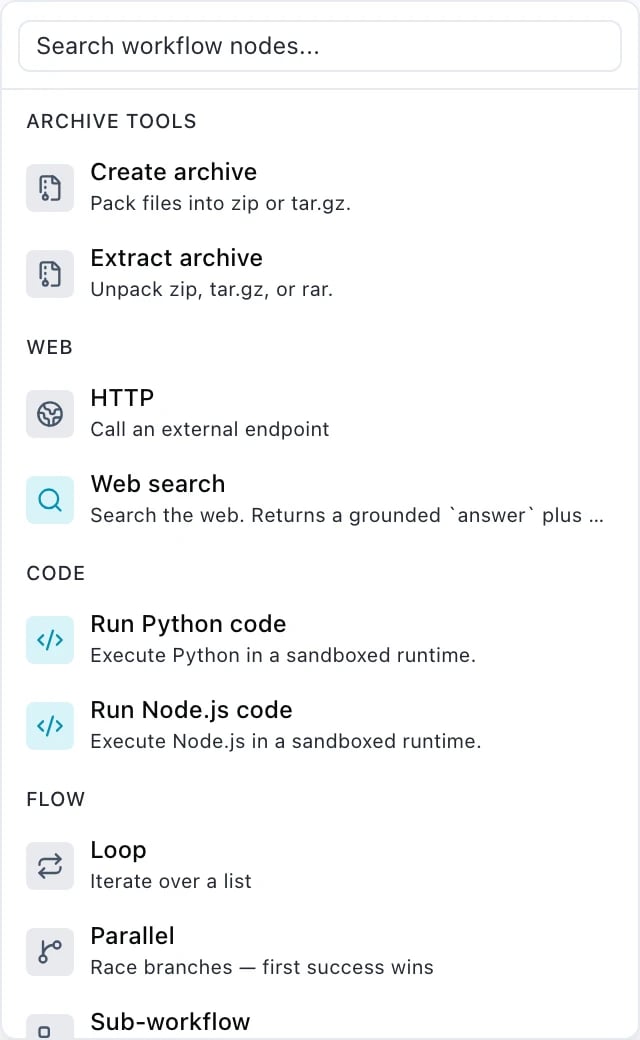
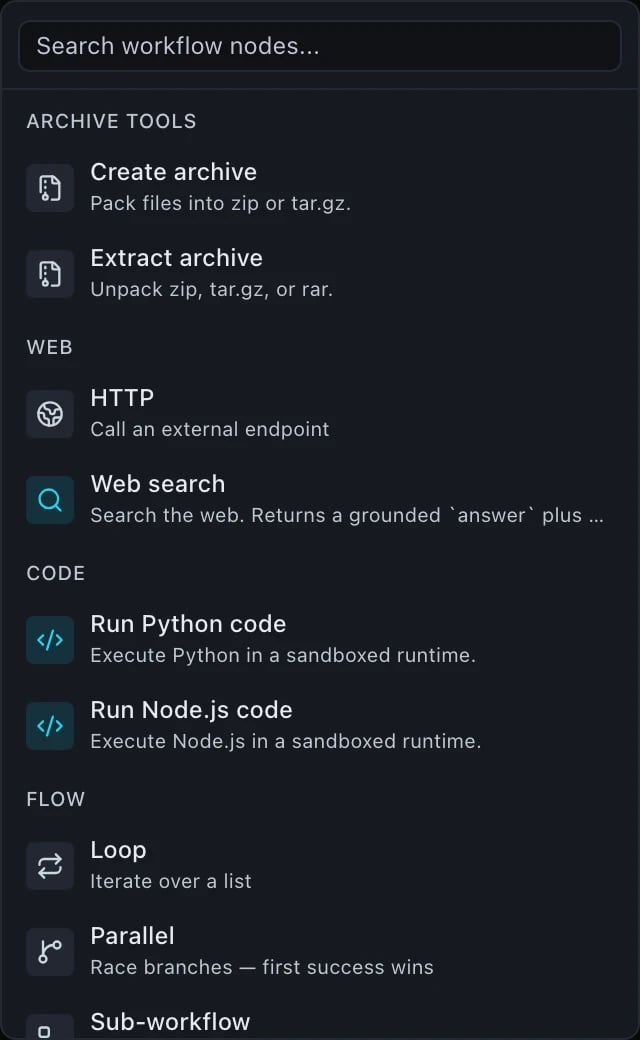
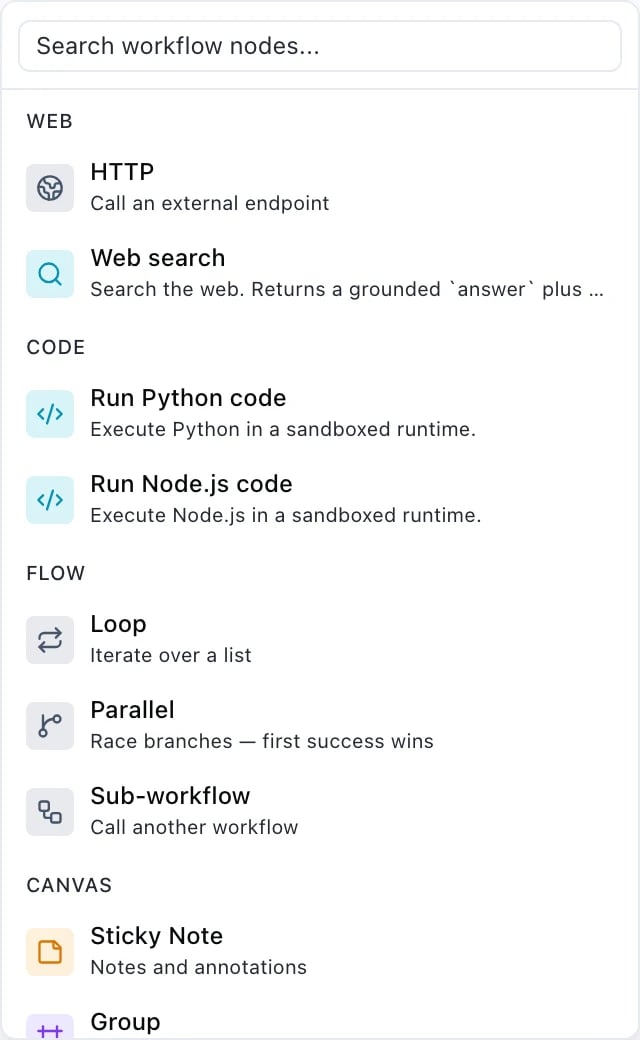
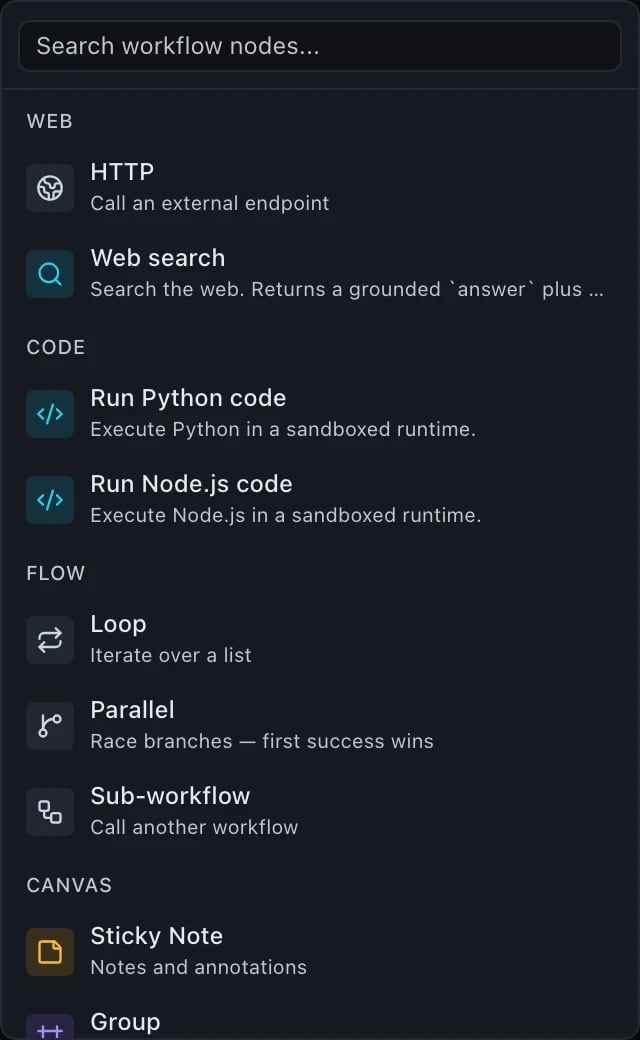 **HTTP** is the [`http`](#http) step and is the one to read the limits on before
you rely on it.
**HTTP** is the [`http`](#http) step and is the one to read the limits on before
you rely on it.
 ### Flow
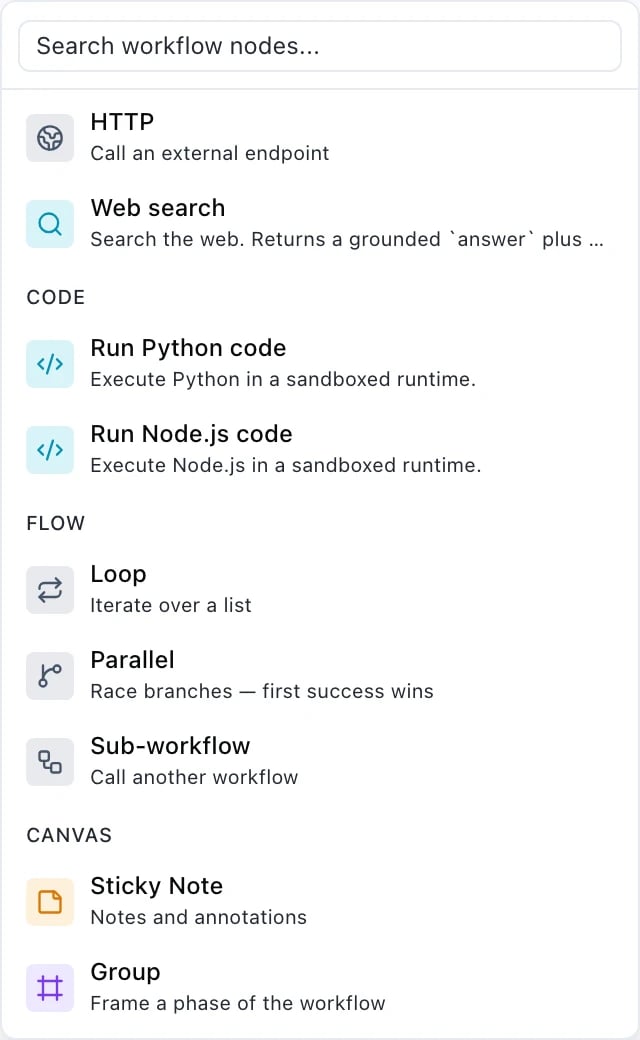
 Read the second one carefully. **Parallel is a race** — its branches are
*alternatives* and the first success wins, which is not the same as "run these at
the same time". Independent steps already run concurrently without it. See
[Containers](/workflows/containers) for both.
**Loop** is `foreach`. **Sub-workflow** is [`sub_pipeline`](#sub_pipeline) — the
one type whose JSON name still carries the old noun.
### Canvas
Read the second one carefully. **Parallel is a race** — its branches are
*alternatives* and the first success wins, which is not the same as "run these at
the same time". Independent steps already run concurrently without it. See
[Containers](/workflows/containers) for both.
**Loop** is `foreach`. **Sub-workflow** is [`sub_pipeline`](#sub_pipeline) — the
one type whose JSON name still carries the old noun.
### Canvas
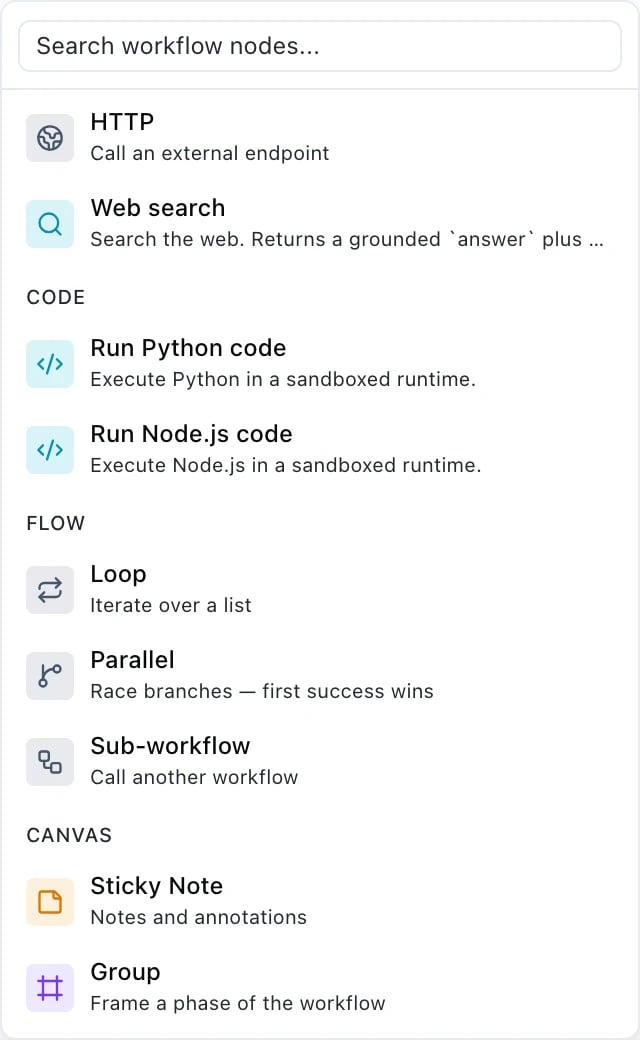
 These two do **nothing at run time**. They are stored under the definition's
presentational `ui` section alongside node positions, so they travel with the
workflow and are ignored by the runner. Use them freely — a sticky note cannot
change what a workflow does.
## Fields every step shares
| Field | Type | Notes |
| ----------------- | ------- | ----------------------------------------------------------------------------------------------------------------------------------------------- |
| `id` | string | Required. 1–120 characters, `A–Z a–z 0–9 _ -` only. Unique across the whole definition. |
| `condition` | object | The step runs only if the expression is true. See below. **Top-level steps only** — a `condition` on a step inside a container body is refused. |
| `retry` | object | Step-level retry policy. See below. |
| `timeout_seconds` | integer | 1–600. The longest one attempt of the step may take. |
`timeout_seconds` has **no schema default**. Each executor supplies its own fallback, and
the `http` step overrides the field entirely with a tighter cap of its own (see below).
### `condition`
A condition is evaluated before the step is dispatched. If it is false the step is marked
`skipped` with `skippedReason: "condition_false"`, publishes `null`, and costs nothing.
```json theme={null}
{
"id": "translate",
"type": "model",
"model": "gpt-5",
"condition": { "left": "${input.language}", "op": "neq", "right": "en" },
"input": { "messages": [{ "role": "user", "content": "…" }] }
}
```
A clause is `{left, op, right}`, or `{left, op}` for the two unary operators. Operands may
be strings, numbers, booleans, `null` or arrays of scalars, and a string operand is
resolved as a binding first.
| `op` | Requires |
| -------------------------- | ------------------------------------------------------------------- |
| `truthy`, `falsy` | unary — no `right` |
| `eq`, `neq` | anything (strict equality) |
| `gt`, `gte`, `lt`, `lte` | both operands must be **numbers** |
| `in`, `not_in` | `right` must be an **array** |
| `contains` | `left` a string (then `right` must be a string), or `left` an array |
| `starts_with`, `ends_with` | both operands must be **strings** |
Clauses combine with `{"and": […]}`, `{"or": […]}` and `{"not": …}`, nested up to **16**
levels deep.
An operand of the wrong type is not a validation error — it fails the step at run time with
`invalid_condition`, because the value only exists once bindings have resolved.
### `retry`
Available on a step and on the definition as a whole. The step-level block gets first crack;
the workflow-level block is the outer fallback.
| Field | Notes |
| ------------------ | --------------------------------------------------------------------------------- |
| `max_attempts` | 1–5. |
| `backoff` | `fixed` (5 s) or `exponential` (2ⁿ seconds, ±25 % jitter, capped at 60 s). |
| `retryable_errors` | Up to 20 error codes, each up to 80 characters. Omit it to take the default list. |
The default retryable list is `execution_timeout`, `input_fetch_failed`, `archive_failed`,
`worker_unavailable`, `worker_timeout`, `worker_stalled`.
Some codes are **never** retried, whatever you list: `invalid_pipeline_definition`,
`invalid_input`, `invalid_request`, `invalid_pipeline_input`, `unsafe_entry_path`,
`compression_bomb`, `entry_too_large`, `output_too_large`, `input_too_large`,
`unsupported_format`, `entries_limit_exceeded`, `runtime_error`, `output_parse_failed`,
`unsupported_language`, `unauthorized`, `forbidden`, `no_wallet`, `insufficient_credits`
and `rate_limited`. Retrying cannot change any of them, and each attempt would bill again.
## `model`
A chat completion. `input` is the same body you would send to
[`POST /v1/chat/completions`](/api-reference/chat-completions), minus `model`, which is the
step's own field.
```json theme={null}
{
"id": "summary",
"type": "model",
"model": "gpt-5",
"input": {
"messages": [
{ "role": "system", "content": "You summarise in one paragraph." },
{ "role": "user", "content": "${steps.fetch.output.body}" }
]
}
}
```
**Output:** the provider's OpenAI-shaped `chat.completion` object, verbatim. The text is at
`${steps.summary.output.choices.0.message.content}`.
The step output does not depend on whether the run was streamed — a streamed run assembles
the same object from the chunks. Fields the provider never sent are **omitted**, not
invented, so a binding to one resolves to `undefined`.
## `media`
Image, video, audio or transcription generation. `input` depends on the model's modality —
`prompt`, `size`, `n`, a reference image, and so on.
```json theme={null}
{
"id": "hero",
"type": "media",
"model": "gpt-image-2",
"input": { "prompt": "A minimalist logo mark for ${input.brand}" }
}
```
**Output:** `{ "url": "/v1/files//content", "file_id": "…", "modality": "image", "provider": "…" }`,
plus an artifact handle beside it. Chain it with `${steps.hero.outputRef}` — see
[Bindings](/workflows/bindings#naming-an-artifact) for why `output.url` is not the right
spelling for a downstream step.
Transcription is the one modality that publishes **no** artifact handle; its deliverable is
`${steps..output.text}`.
## `three_d`
Generates or transforms a mesh — text-to-3D, image-to-3D, or mesh-in for rigging,
remeshing and retexturing. A step of its own rather than a widened `media`: the 3D
catalogue includes models that take a mesh as input, a shape `media`'s prompt plus
an optional conditioning image has no room for.
```json theme={null}
{
"id": "figurine",
"type": "three_d",
"model": "meshy-text-to-3d",
"input": { "prompt": "A low-poly fox, game-ready" }
}
```
`input` needs at least one of `prompt`, `image_url` or `mesh_url` — which ones a
given model accepts depends on the model: text-to-3D takes a prompt, image-to-3D an
image, and rigging or retexturing an existing mesh. `seed` is optional. `model` must
be an `object_3d`-modality model, refused with `model_not_object_3d` otherwise; a
missing `prompt`/`image_url`/`mesh_url` is refused with `object_3d_input_required`,
before any credit hold is taken.
**Output:** `{ "url": …, "file_id": …, "modality": "object_3d", "content_type": …, "provider": … }`,
plus an artifact handle — chain a following step's `mesh_url` input to
`${steps..outputRef}`, the same convention `media` uses.
## Capability steps
Any of the 31 capabilities is a step type in its own right. Fetch the full list, with JSON
Schema for `input` and `params`, from `GET /v1/tools`.
```json theme={null}
{
"id": "badge",
"type": "image.resize",
"input": { "image_url": "${steps.hero.outputRef}" },
"params": { "width": 200, "height": 200, "fit": "inside" }
}
```
| Category | Capabilities |
| ---------- | ---------------------------------------------------------------------------------------------------------------------- |
| `image` | `resize`, `crop`, `rotate`, `convert_format`, `composite`, `add_padding`, `flatten`, `add_alpha_channel`, `pipeline` |
| `video` | `transcode`, `trim`, `concat`, `scale`, `crop`, `watermark`, `extract_frame`, `extract_audio`, `add_audio`, `pipeline` |
| `audio` | `transcode`, `trim`, `concat`, `pipeline` |
| `document` | `extract_text`, `convert_format`, `render_slides` |
| `archive` | `pack`, `unpack` |
| `web` | `search` |
| `code` | `run_python`, `run_node` |
A capability's inputs are split across `input` and `params`, and **which one holds a URL
varies**: `image.composite` takes `params.overlay_url`, and `archive.pack` takes
`params.entries[].sourceUrl` with an empty `input`. Bindings resolve in `params` exactly as
they do in `input`. Read the capability's own schema from `GET /v1/tools` rather than
guessing.
The three composite capabilities — `image.pipeline`, `video.pipeline`, `audio.pipeline` —
chain operations inside a single step. `params.operations` holds **1 to 10** entries; the
ceiling is published as `maxItems` on the capability's `params_schema`.
## `http`
Call an external API. This is the only step type where `${secrets.…}` resolves; a secret
reference in any other step's `input` is refused at write time.
```json theme={null}
{
"id": "fetch",
"type": "http",
"input": {
"url": "https://api.example.com/v1/items",
"method": "POST",
"headers": { "Authorization": "Bearer ${secrets.example_token}" },
"body": { "query": "${input.term}" },
"expect_status": [200]
}
}
```
| Field | Default | Notes |
| ------------------ | ------- | ----------------------------------------------------------------------------------- |
| `url` | — | Required. `http://` or `https://`, or a binding. |
| `method` | `GET` | `GET`, `POST`, `PUT`, `PATCH`, `DELETE`, `HEAD`. |
| `headers` | — | String to string. |
| `query` | — | String, number or boolean values. |
| `body` | — | Any JSON value. |
| `body_type` | `json` | `json`, `form` or `text`. |
| `timeout_seconds` | `30` | 1–60. |
| `follow_redirects` | `true` | |
| `max_redirects` | `3` | 0–5. |
| `expect_status` | — | Any other status fails the step. |
| `extract_text` | `false` | Convert an HTML response to readable text before it becomes `output.body`. |
| `max_chars` | — | Hard ceiling on the characters kept in `output.body`, applied after `extract_text`. |
**Output:** `{ "status": …, "headers": {…}, "body": …, "duration_ms": …, "truncated": … }`.
A JSON content type is parsed; `text/*` and form-encoded bodies arrive as a string; anything
else fails the step with `unsupported_response_type`.
An `http` step costs **1 credit**, whatever it fetches.
Responses are capped at **5 MB** — larger ones fail with `response_too_large`. That cap is
about memory, not about context windows: a 2 MB article page is mostly markup and can still
blow a model's context window when bound into a prompt. Use `extract_text` and `max_chars`
before feeding a page to a model.
Requests to private, internal or link-local addresses are refused with `ssrf_blocked`.
Secret values are redacted from logs and from any error snippet.
## `sub_pipeline`
Invoke another stored workflow once, as a step.
```json theme={null}
{
"id": "thumbnail",
"type": "sub_pipeline",
"pipeline_id": "0d5f0f4d-6f5d-4e6b-9d0a-6c9a2f7e1b33",
"pipeline_version": 3,
"inputs": { "source": "${steps.hero.outputRef}" }
}
```
`pipeline_version` is **required** — there is no implicit "latest" — so a published parent
cannot silently change behaviour when the child is revised.
**Output:** the child workflow's own `output` object, passed straight through. The step
publishes no artifact handle of its own.
Chains are limited to a depth of **3**, enforced at run time. A cycle between workflows is
refused when the definition is saved, and when an inline definition is passed to
[`/v1/workflows/estimate`](/workflows/running#estimating-a-run).
These two do **nothing at run time**. They are stored under the definition's
presentational `ui` section alongside node positions, so they travel with the
workflow and are ignored by the runner. Use them freely — a sticky note cannot
change what a workflow does.
## Fields every step shares
| Field | Type | Notes |
| ----------------- | ------- | ----------------------------------------------------------------------------------------------------------------------------------------------- |
| `id` | string | Required. 1–120 characters, `A–Z a–z 0–9 _ -` only. Unique across the whole definition. |
| `condition` | object | The step runs only if the expression is true. See below. **Top-level steps only** — a `condition` on a step inside a container body is refused. |
| `retry` | object | Step-level retry policy. See below. |
| `timeout_seconds` | integer | 1–600. The longest one attempt of the step may take. |
`timeout_seconds` has **no schema default**. Each executor supplies its own fallback, and
the `http` step overrides the field entirely with a tighter cap of its own (see below).
### `condition`
A condition is evaluated before the step is dispatched. If it is false the step is marked
`skipped` with `skippedReason: "condition_false"`, publishes `null`, and costs nothing.
```json theme={null}
{
"id": "translate",
"type": "model",
"model": "gpt-5",
"condition": { "left": "${input.language}", "op": "neq", "right": "en" },
"input": { "messages": [{ "role": "user", "content": "…" }] }
}
```
A clause is `{left, op, right}`, or `{left, op}` for the two unary operators. Operands may
be strings, numbers, booleans, `null` or arrays of scalars, and a string operand is
resolved as a binding first.
| `op` | Requires |
| -------------------------- | ------------------------------------------------------------------- |
| `truthy`, `falsy` | unary — no `right` |
| `eq`, `neq` | anything (strict equality) |
| `gt`, `gte`, `lt`, `lte` | both operands must be **numbers** |
| `in`, `not_in` | `right` must be an **array** |
| `contains` | `left` a string (then `right` must be a string), or `left` an array |
| `starts_with`, `ends_with` | both operands must be **strings** |
Clauses combine with `{"and": […]}`, `{"or": […]}` and `{"not": …}`, nested up to **16**
levels deep.
An operand of the wrong type is not a validation error — it fails the step at run time with
`invalid_condition`, because the value only exists once bindings have resolved.
### `retry`
Available on a step and on the definition as a whole. The step-level block gets first crack;
the workflow-level block is the outer fallback.
| Field | Notes |
| ------------------ | --------------------------------------------------------------------------------- |
| `max_attempts` | 1–5. |
| `backoff` | `fixed` (5 s) or `exponential` (2ⁿ seconds, ±25 % jitter, capped at 60 s). |
| `retryable_errors` | Up to 20 error codes, each up to 80 characters. Omit it to take the default list. |
The default retryable list is `execution_timeout`, `input_fetch_failed`, `archive_failed`,
`worker_unavailable`, `worker_timeout`, `worker_stalled`.
Some codes are **never** retried, whatever you list: `invalid_pipeline_definition`,
`invalid_input`, `invalid_request`, `invalid_pipeline_input`, `unsafe_entry_path`,
`compression_bomb`, `entry_too_large`, `output_too_large`, `input_too_large`,
`unsupported_format`, `entries_limit_exceeded`, `runtime_error`, `output_parse_failed`,
`unsupported_language`, `unauthorized`, `forbidden`, `no_wallet`, `insufficient_credits`
and `rate_limited`. Retrying cannot change any of them, and each attempt would bill again.
## `model`
A chat completion. `input` is the same body you would send to
[`POST /v1/chat/completions`](/api-reference/chat-completions), minus `model`, which is the
step's own field.
```json theme={null}
{
"id": "summary",
"type": "model",
"model": "gpt-5",
"input": {
"messages": [
{ "role": "system", "content": "You summarise in one paragraph." },
{ "role": "user", "content": "${steps.fetch.output.body}" }
]
}
}
```
**Output:** the provider's OpenAI-shaped `chat.completion` object, verbatim. The text is at
`${steps.summary.output.choices.0.message.content}`.
The step output does not depend on whether the run was streamed — a streamed run assembles
the same object from the chunks. Fields the provider never sent are **omitted**, not
invented, so a binding to one resolves to `undefined`.
## `media`
Image, video, audio or transcription generation. `input` depends on the model's modality —
`prompt`, `size`, `n`, a reference image, and so on.
```json theme={null}
{
"id": "hero",
"type": "media",
"model": "gpt-image-2",
"input": { "prompt": "A minimalist logo mark for ${input.brand}" }
}
```
**Output:** `{ "url": "/v1/files//content", "file_id": "…", "modality": "image", "provider": "…" }`,
plus an artifact handle beside it. Chain it with `${steps.hero.outputRef}` — see
[Bindings](/workflows/bindings#naming-an-artifact) for why `output.url` is not the right
spelling for a downstream step.
Transcription is the one modality that publishes **no** artifact handle; its deliverable is
`${steps..output.text}`.
## `three_d`
Generates or transforms a mesh — text-to-3D, image-to-3D, or mesh-in for rigging,
remeshing and retexturing. A step of its own rather than a widened `media`: the 3D
catalogue includes models that take a mesh as input, a shape `media`'s prompt plus
an optional conditioning image has no room for.
```json theme={null}
{
"id": "figurine",
"type": "three_d",
"model": "meshy-text-to-3d",
"input": { "prompt": "A low-poly fox, game-ready" }
}
```
`input` needs at least one of `prompt`, `image_url` or `mesh_url` — which ones a
given model accepts depends on the model: text-to-3D takes a prompt, image-to-3D an
image, and rigging or retexturing an existing mesh. `seed` is optional. `model` must
be an `object_3d`-modality model, refused with `model_not_object_3d` otherwise; a
missing `prompt`/`image_url`/`mesh_url` is refused with `object_3d_input_required`,
before any credit hold is taken.
**Output:** `{ "url": …, "file_id": …, "modality": "object_3d", "content_type": …, "provider": … }`,
plus an artifact handle — chain a following step's `mesh_url` input to
`${steps..outputRef}`, the same convention `media` uses.
## Capability steps
Any of the 31 capabilities is a step type in its own right. Fetch the full list, with JSON
Schema for `input` and `params`, from `GET /v1/tools`.
```json theme={null}
{
"id": "badge",
"type": "image.resize",
"input": { "image_url": "${steps.hero.outputRef}" },
"params": { "width": 200, "height": 200, "fit": "inside" }
}
```
| Category | Capabilities |
| ---------- | ---------------------------------------------------------------------------------------------------------------------- |
| `image` | `resize`, `crop`, `rotate`, `convert_format`, `composite`, `add_padding`, `flatten`, `add_alpha_channel`, `pipeline` |
| `video` | `transcode`, `trim`, `concat`, `scale`, `crop`, `watermark`, `extract_frame`, `extract_audio`, `add_audio`, `pipeline` |
| `audio` | `transcode`, `trim`, `concat`, `pipeline` |
| `document` | `extract_text`, `convert_format`, `render_slides` |
| `archive` | `pack`, `unpack` |
| `web` | `search` |
| `code` | `run_python`, `run_node` |
A capability's inputs are split across `input` and `params`, and **which one holds a URL
varies**: `image.composite` takes `params.overlay_url`, and `archive.pack` takes
`params.entries[].sourceUrl` with an empty `input`. Bindings resolve in `params` exactly as
they do in `input`. Read the capability's own schema from `GET /v1/tools` rather than
guessing.
The three composite capabilities — `image.pipeline`, `video.pipeline`, `audio.pipeline` —
chain operations inside a single step. `params.operations` holds **1 to 10** entries; the
ceiling is published as `maxItems` on the capability's `params_schema`.
## `http`
Call an external API. This is the only step type where `${secrets.…}` resolves; a secret
reference in any other step's `input` is refused at write time.
```json theme={null}
{
"id": "fetch",
"type": "http",
"input": {
"url": "https://api.example.com/v1/items",
"method": "POST",
"headers": { "Authorization": "Bearer ${secrets.example_token}" },
"body": { "query": "${input.term}" },
"expect_status": [200]
}
}
```
| Field | Default | Notes |
| ------------------ | ------- | ----------------------------------------------------------------------------------- |
| `url` | — | Required. `http://` or `https://`, or a binding. |
| `method` | `GET` | `GET`, `POST`, `PUT`, `PATCH`, `DELETE`, `HEAD`. |
| `headers` | — | String to string. |
| `query` | — | String, number or boolean values. |
| `body` | — | Any JSON value. |
| `body_type` | `json` | `json`, `form` or `text`. |
| `timeout_seconds` | `30` | 1–60. |
| `follow_redirects` | `true` | |
| `max_redirects` | `3` | 0–5. |
| `expect_status` | — | Any other status fails the step. |
| `extract_text` | `false` | Convert an HTML response to readable text before it becomes `output.body`. |
| `max_chars` | — | Hard ceiling on the characters kept in `output.body`, applied after `extract_text`. |
**Output:** `{ "status": …, "headers": {…}, "body": …, "duration_ms": …, "truncated": … }`.
A JSON content type is parsed; `text/*` and form-encoded bodies arrive as a string; anything
else fails the step with `unsupported_response_type`.
An `http` step costs **1 credit**, whatever it fetches.
Responses are capped at **5 MB** — larger ones fail with `response_too_large`. That cap is
about memory, not about context windows: a 2 MB article page is mostly markup and can still
blow a model's context window when bound into a prompt. Use `extract_text` and `max_chars`
before feeding a page to a model.
Requests to private, internal or link-local addresses are refused with `ssrf_blocked`.
Secret values are redacted from logs and from any error snippet.
## `sub_pipeline`
Invoke another stored workflow once, as a step.
```json theme={null}
{
"id": "thumbnail",
"type": "sub_pipeline",
"pipeline_id": "0d5f0f4d-6f5d-4e6b-9d0a-6c9a2f7e1b33",
"pipeline_version": 3,
"inputs": { "source": "${steps.hero.outputRef}" }
}
```
`pipeline_version` is **required** — there is no implicit "latest" — so a published parent
cannot silently change behaviour when the child is revised.
**Output:** the child workflow's own `output` object, passed straight through. The step
publishes no artifact handle of its own.
Chains are limited to a depth of **3**, enforced at run time. A cycle between workflows is
refused when the definition is saved, and when an inline definition is passed to
[`/v1/workflows/estimate`](/workflows/running#estimating-a-run).