> ## Documentation Index
> Fetch the complete documentation index at: https://docs.infery.ai/llms.txt
> Use this file to discover all available pages before exploring further.
# Web search
> Let a chat read the live web, and see exactly which pages the answer came from.
A model only knows what it was trained on. Turn on web search and it can look
things up first — then the answer arrives with the pages it used attached, so
you can check it rather than trust it.
 ## Turning it on
The globe in the message bar toggles search **for the chat**, not for one
message — once on, every following message can search. The dropdown beside it
picks where the searching happens.
| Source | What it does | Works with |
| ------------- | ---------------------------------------------------------------------------- | ------------- |
| **Auto** | Follows the model family — see below | Any model |
| **Brave** | A real search engine. Results are fetched and handed to the model as context | **Any** model |
| **Gemini** | The model's own grounding | `gemini-*` |
| **OpenAI** | The model's own grounding | `gpt-*`, `o*` |
| **Anthropic** | The model's own grounding | `claude-*` |
**Auto** resolves by the model's name: `gpt-*` and `o*` to OpenAI, `gemini-*`
to Gemini, `claude-*` to Anthropic. A model in none of those families — Llama,
Qwen, Mistral, DeepSeek, Grok — has no grounding of its own, so Auto uses
Brave. Hovering the globe tells you which one Auto has landed on for the model
you have selected.
That is the practical difference between the two kinds. **Grounded** search is
the model searching for itself, and it is only available on the family that
built it. **Brave** is search bolted on from outside, which makes it the only
option that works everywhere: it will give an open-weights model access to the
live web that the model has no native way to reach.
The setting is saved on the chat, so a thread you left with search on still has
it on when you come back — and switching the model inside that chat does not
turn it off. New chats start with it **off**.
## Reading the result
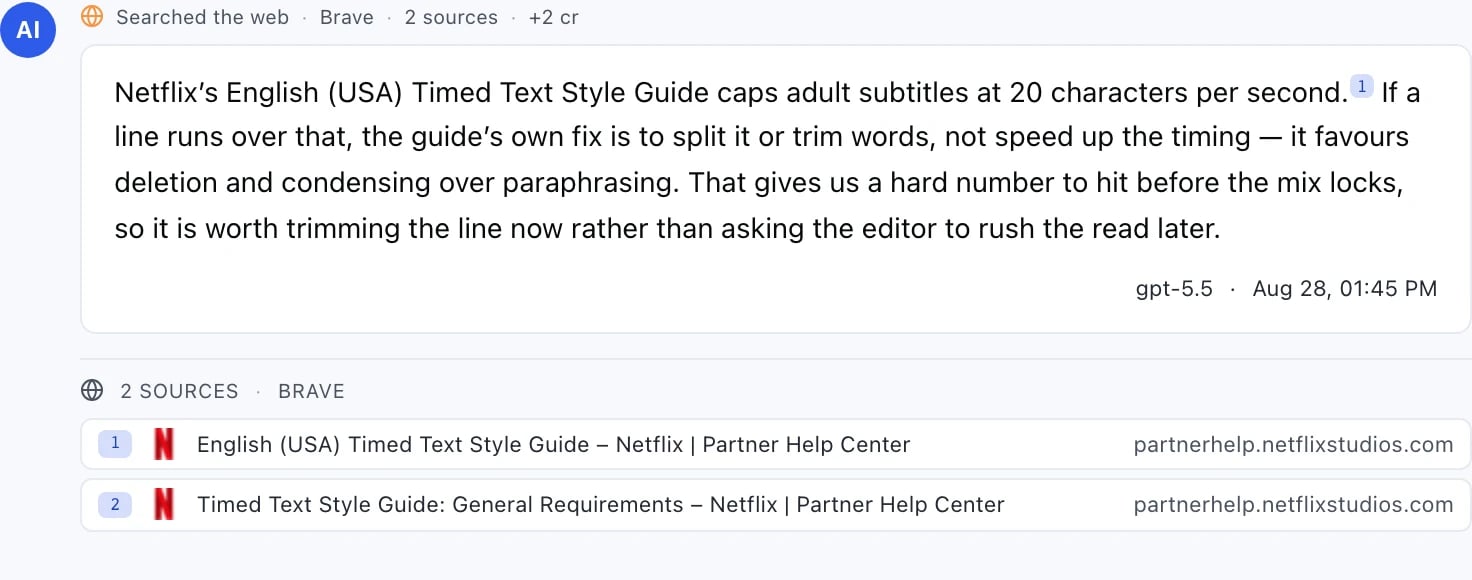
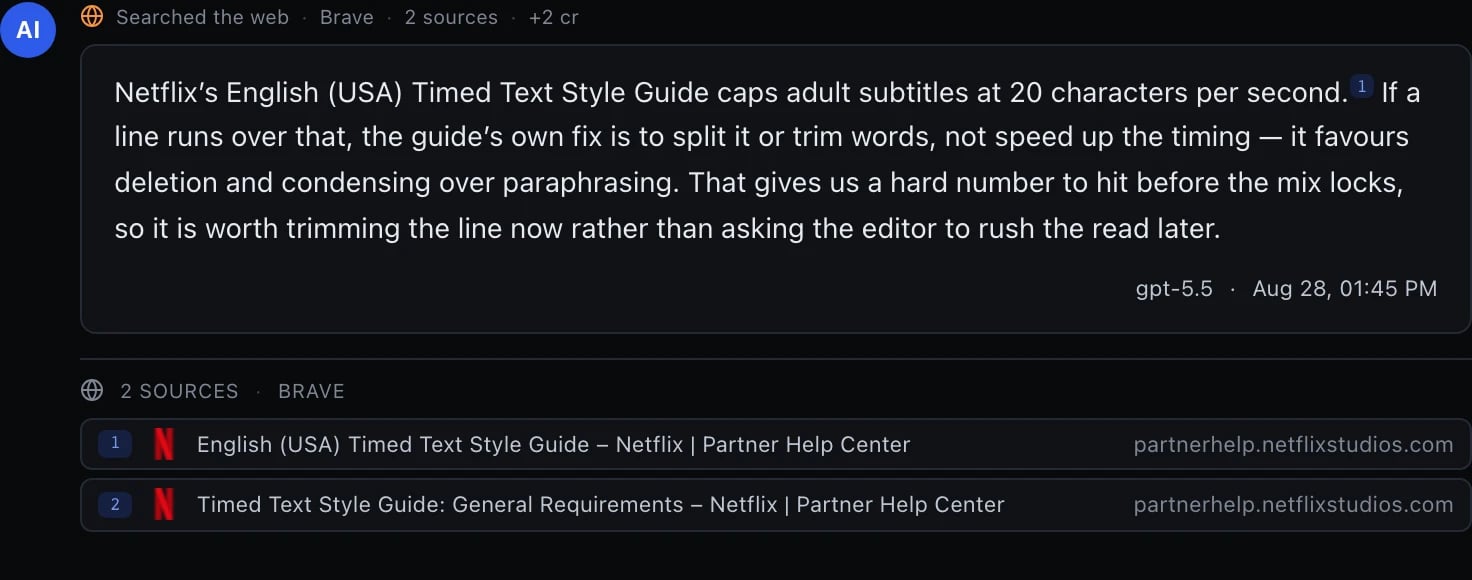
Two things always appear on an answer that searched, and a third — the inline
marker below — appears when the answer's formatting allows it.
**The badge**, above the bubble: which provider ran, how many sources came
back, and what the search added to the bill. It reads
`Searched the web · Brave · 2 sources · +0.25 cr`.
**Inline citations** — a small superscript number inside the text, on the
claim it belongs to, when the renderer can place one. Click one to see the
source it points at, and the quoted passage where the provider gave one. The
marker is best-effort, not guaranteed: it only appears on a plain-prose answer
with no markdown in it, because injecting a citation chip into a heading,
list, code block or link would break the formatting around it. A real model
answer very often *does* use markdown, and the moment it does, the marker is
simply not rendered — the sources panel below is unaffected either way, so the
citations themselves are never lost, only the in-text pointer to them.
**The sources panel**, under the answer: every page, numbered to match the
superscripts, with its title and domain. Click through to the original.
### "no sources"
A badge can say `no sources` instead of a count. That is not a rendering
problem — it means the provider ran a search, billed for it, and attributed
nothing to it. It is shown rather than hidden precisely because the search was
still paid for.
## What it costs
Search is billed on top of the message, and the badge on each answer shows what
that message's search actually added.
The two kinds cost differently:
* **Brave** charges per search request, and nothing else. The model then reads
the results as ordinary input.
* **Grounded providers** charge a per-search fee *plus* the tokens their
grounding machinery consumed — which is why the same question can cost more
through a grounded provider than through Brave, on the same model.
A single message can run more than one search when the model decides it needs
to; the badge reports the total, so what you are billed is always what is on
the screen.
## When to use which
* **Anything current** — prices, releases, versions, "what changed" — needs
search regardless of the model. Training cutoffs are the whole reason this
feature exists.
* **On an open-weights model**, Brave is the only way to reach the live web.
* **On a frontier model**, its own grounding usually reads the page more
carefully than a result snippet does, and costs a little more for it.
* **Leave it off** for reasoning, writing, and code that does not depend on
anything outside the conversation. A search you did not need is a search you
paid for.
## In workflows
The same providers are available as a **Web search** step, where the results
are structured output you can route into later steps rather than prose in a
chat. See [Step types](/workflows/step-types).
## Turning it on
The globe in the message bar toggles search **for the chat**, not for one
message — once on, every following message can search. The dropdown beside it
picks where the searching happens.
| Source | What it does | Works with |
| ------------- | ---------------------------------------------------------------------------- | ------------- |
| **Auto** | Follows the model family — see below | Any model |
| **Brave** | A real search engine. Results are fetched and handed to the model as context | **Any** model |
| **Gemini** | The model's own grounding | `gemini-*` |
| **OpenAI** | The model's own grounding | `gpt-*`, `o*` |
| **Anthropic** | The model's own grounding | `claude-*` |
**Auto** resolves by the model's name: `gpt-*` and `o*` to OpenAI, `gemini-*`
to Gemini, `claude-*` to Anthropic. A model in none of those families — Llama,
Qwen, Mistral, DeepSeek, Grok — has no grounding of its own, so Auto uses
Brave. Hovering the globe tells you which one Auto has landed on for the model
you have selected.
That is the practical difference between the two kinds. **Grounded** search is
the model searching for itself, and it is only available on the family that
built it. **Brave** is search bolted on from outside, which makes it the only
option that works everywhere: it will give an open-weights model access to the
live web that the model has no native way to reach.
The setting is saved on the chat, so a thread you left with search on still has
it on when you come back — and switching the model inside that chat does not
turn it off. New chats start with it **off**.
## Reading the result
Two things always appear on an answer that searched, and a third — the inline
marker below — appears when the answer's formatting allows it.
**The badge**, above the bubble: which provider ran, how many sources came
back, and what the search added to the bill. It reads
`Searched the web · Brave · 2 sources · +0.25 cr`.
**Inline citations** — a small superscript number inside the text, on the
claim it belongs to, when the renderer can place one. Click one to see the
source it points at, and the quoted passage where the provider gave one. The
marker is best-effort, not guaranteed: it only appears on a plain-prose answer
with no markdown in it, because injecting a citation chip into a heading,
list, code block or link would break the formatting around it. A real model
answer very often *does* use markdown, and the moment it does, the marker is
simply not rendered — the sources panel below is unaffected either way, so the
citations themselves are never lost, only the in-text pointer to them.
**The sources panel**, under the answer: every page, numbered to match the
superscripts, with its title and domain. Click through to the original.
### "no sources"
A badge can say `no sources` instead of a count. That is not a rendering
problem — it means the provider ran a search, billed for it, and attributed
nothing to it. It is shown rather than hidden precisely because the search was
still paid for.
## What it costs
Search is billed on top of the message, and the badge on each answer shows what
that message's search actually added.
The two kinds cost differently:
* **Brave** charges per search request, and nothing else. The model then reads
the results as ordinary input.
* **Grounded providers** charge a per-search fee *plus* the tokens their
grounding machinery consumed — which is why the same question can cost more
through a grounded provider than through Brave, on the same model.
A single message can run more than one search when the model decides it needs
to; the badge reports the total, so what you are billed is always what is on
the screen.
## When to use which
* **Anything current** — prices, releases, versions, "what changed" — needs
search regardless of the model. Training cutoffs are the whole reason this
feature exists.
* **On an open-weights model**, Brave is the only way to reach the live web.
* **On a frontier model**, its own grounding usually reads the page more
carefully than a result snippet does, and costs a little more for it.
* **Leave it off** for reasoning, writing, and code that does not depend on
anything outside the conversation. A search you did not need is a search you
paid for.
## In workflows
The same providers are available as a **Web search** step, where the results
are structured output you can route into later steps rather than prose in a
chat. See [Step types](/workflows/step-types).