> ## Documentation Index
> Fetch the complete documentation index at: https://docs.infery.ai/llms.txt
> Use this file to discover all available pages before exploring further.
# Image generation
> Choose the right model, write better prompts, and persist what you generate.
For the endpoint contract see [Images API](/api-reference/images). This guide covers the practical side: picking a model, prompting, sizes, edits, persistence.
## Pick a model
| Model | Strong for | Notes |
| -------------------------------------- | ------------------------------------------- | --------------------------------------------------------------------------- |
| `dall-e-3` | Following long prompts literally | OpenAI revises your prompt — pass `"prompt_revision": false` to keep it raw |
| `gemini-2-5-flash-image` (Nano Banana) | Photorealism, edits, fast | Cheap; supports image-to-image edits |
| `imagen-4` | High aesthetic quality | Slower; great for marketing visuals |
| `qwen-image` | Multilingual prompts (CN/EN), text in image | PRC opt-in required |
| `flux-1-pro` | Open-source FLUX, uncensored prompts | Self-hosted, no policy filter |
| `grok-image` | Realistic + low refusal rate | xAI |
Filter the catalog: `GET /v1/models?modality=image`. Each model exposes `allowedParams.supported_sizes` so you know what to ask for.
## Prompt patterns that work
Across all current image models, structured prompts beat freeform descriptions:
```
[subject], [style], [composition], [lighting], [details], [mood]
Example:
A snow leopard on a rocky cliff,
photorealistic wildlife photography,
medium shot from below,
golden-hour side lighting,
visible whiskers and individual fur strands,
solitary and watchful
```
Tips that generalise:
* **Subject first.** Models weight early tokens more.
* **Be concrete.** "Cinematic lighting" is vague; "low-key chiaroscuro from a single window" isn't.
* **Specify what to avoid** with negative phrasing: "no text, no watermark, no humans".
* **Anchor style** with reference styles or photographers ("in the style of National Geographic", "shot on Hasselblad H6D").
* **Iterate small.** Change one variable at a time — model, then prompt, then size.
## Sizes and aspect ratios
Common, almost universally supported:
| Use | Size | Aspect |
| ------------------- | ----------- | ------ |
| Square thumbnail | `1024x1024` | 1:1 |
| Hero / blog | `1792x1024` | 16:9 |
| Portrait / mobile | `1024x1792` | 9:16 |
| Square small / icon | `512x512` | 1:1 |
Always check `GET /v1/models/{slug}` before assuming — some models only support `1024x1024`.
## Persistence
Generated URLs are **ephemeral** — typically 1 hour. If you want to keep an image, do one of:
```python python theme={null}
# Option 1: ask for base64 directly
img = client.images.generate(
model="dall-e-3",
prompt="...",
response_format="b64_json",
)
png = base64.b64decode(img.data[0].b64_json)
open("out.png", "wb").write(png)
```
```python python theme={null}
# Option 2: download the URL within the hour, then upload to Files
img = client.images.generate(model="dall-e-3", prompt="...")
png = httpx.get(img.data[0].url).content
f = client.files.create(file=("hero.png", png), purpose="user_data")
# Now reference forever via f.id
```
The second pattern keeps the bytes in your workspace storage and gives you a stable `file_id`.
## Image edits
Models with edit support (Nano Banana, Qwen Image, FLUX) take a source image plus a prompt:
```python python theme={null}
edit = client.images.edit(
model="gemini-2-5-flash-image",
image=open("portrait.jpg", "rb"),
prompt="Replace the background with a tropical beach, keep the subject and pose unchanged",
)
```
Or via base64 in a raw HTTP call — see [Images API](/api-reference/images#image-edits).
Use cases: background swap, object removal, restyling, in-painting. Edit fidelity beats "regenerate from scratch" for any case where the subject needs to stay consistent.
### Sample: generate vs. edit
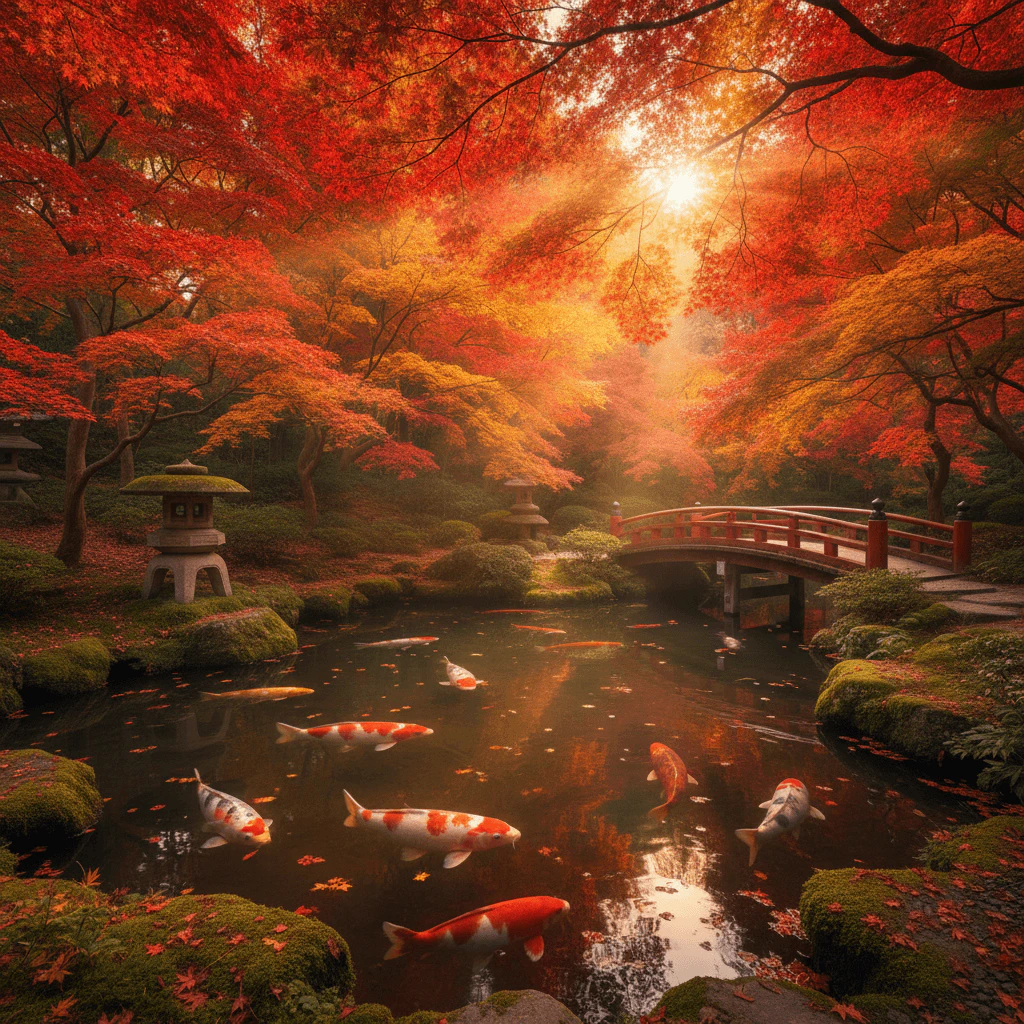
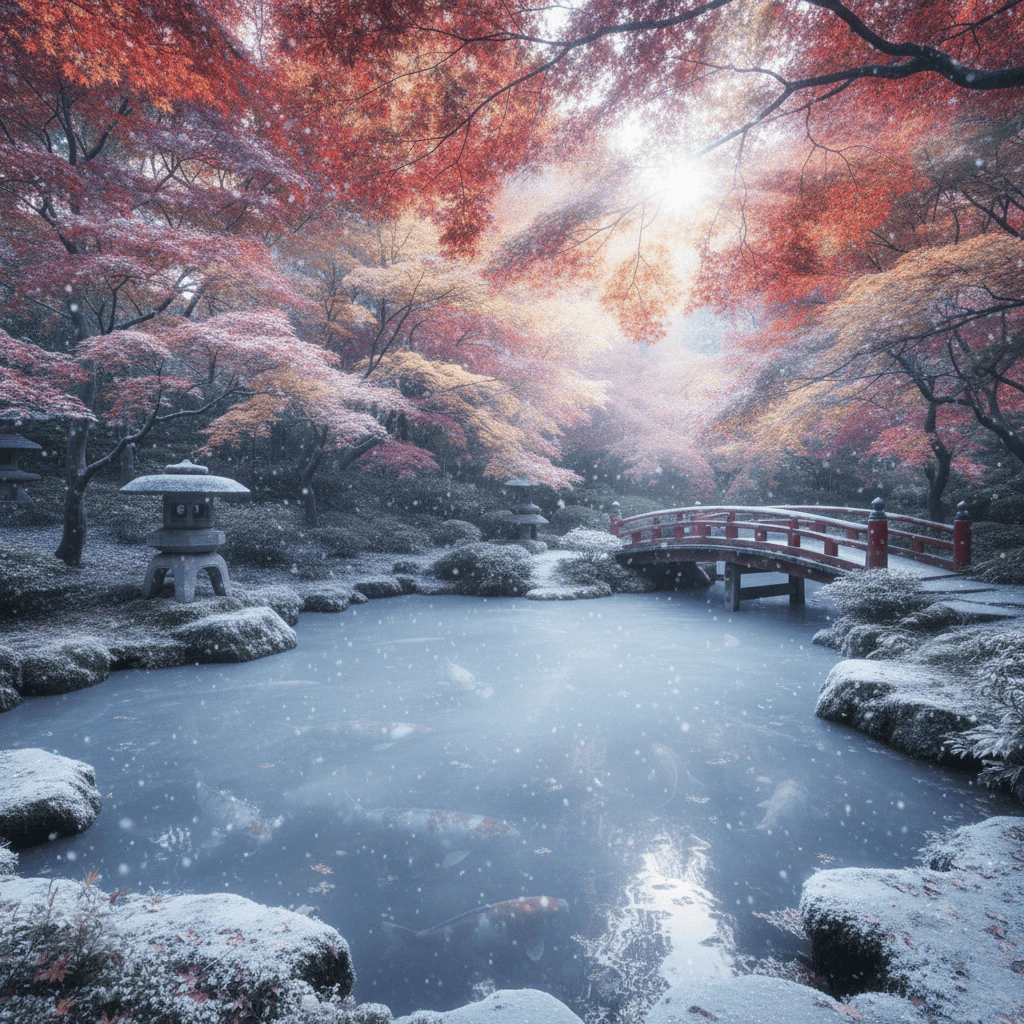 *Both images produced by `gemini-2.5-flash-image` (Nano Banana). Notice how the edit preserves the composition — bridge, lantern, pond — while swapping season, lighting and palette.*
## Quality vs. cost
Generation cost varies by model and size — check pricing in `GET /v1/models`. Rules of thumb:
* DALL·E 3 standard ≈ 4 credits, HD ≈ 8 credits
* Imagen 4 ≈ 8 credits
* Nano Banana ≈ 1.5 credits
* FLUX (self-hosted) ≈ 1 credit
For experimentation in the [Playground](/playground/overview), pick the cheap models. For production hero images, pick by quality, not cost.
## Safety
All providers (except FLUX self-hosted) run their own safety filters. Refusals come back as a 400 with the provider's reason — they aren't transient and **fallback won't help**. If you hit refusals on legitimate content, try a different provider or rephrase. For the policy boundary, see [AUP](https://infery.ai/aup).
*Both images produced by `gemini-2.5-flash-image` (Nano Banana). Notice how the edit preserves the composition — bridge, lantern, pond — while swapping season, lighting and palette.*
## Quality vs. cost
Generation cost varies by model and size — check pricing in `GET /v1/models`. Rules of thumb:
* DALL·E 3 standard ≈ 4 credits, HD ≈ 8 credits
* Imagen 4 ≈ 8 credits
* Nano Banana ≈ 1.5 credits
* FLUX (self-hosted) ≈ 1 credit
For experimentation in the [Playground](/playground/overview), pick the cheap models. For production hero images, pick by quality, not cost.
## Safety
All providers (except FLUX self-hosted) run their own safety filters. Refusals come back as a 400 with the provider's reason — they aren't transient and **fallback won't help**. If you hit refusals on legitimate content, try a different provider or rephrase. For the policy boundary, see [AUP](https://infery.ai/aup).